


When interacting with ChatGPT on TypingMind, we often focus on individual prompts to guide the conversation.
But, have you ever considered setting an initial system prompt (also known as the system instruction) on TypingMind?
This simple feature can save you significant time and cost by setting your requirements upfront, enabling more precise control over the AI behavior and responses.
In case you missed the potential of this feature on TypingMind, then let’s check out this article! We will explain the basics of ChatGPT system instruction and show you how to set it up like a pro.
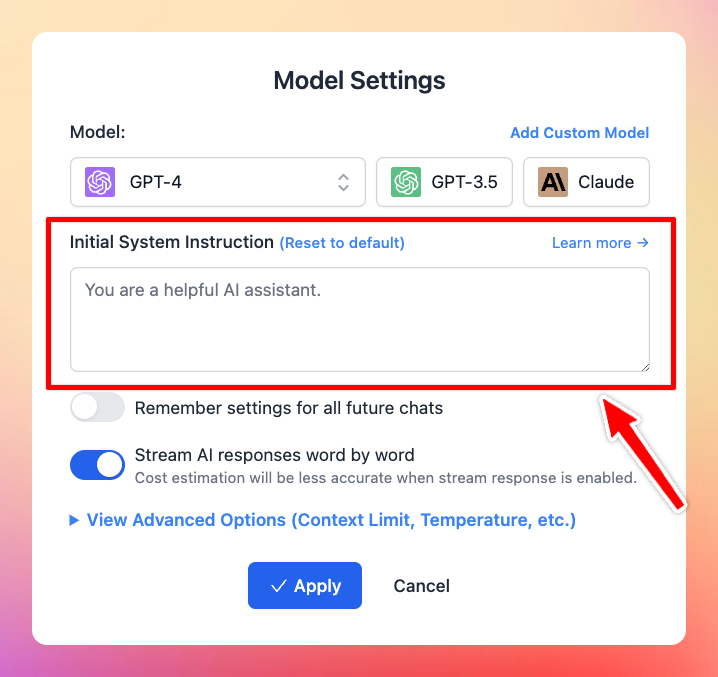
What is ChatGPT’s initial system instruction on TypingMind?
ChatGPT’s initial system instruction is the first message provided by you to the model in order to give the AI assistant a general rule or guideline to follow in the conversation. This could include instructions about the tone, style, or context in which the model should respond.
For example, if the system instruction is to “Write in a style of Shakespeare“, ChatGPT would provide responses in the style of this greatest writer for any of your inquiries.
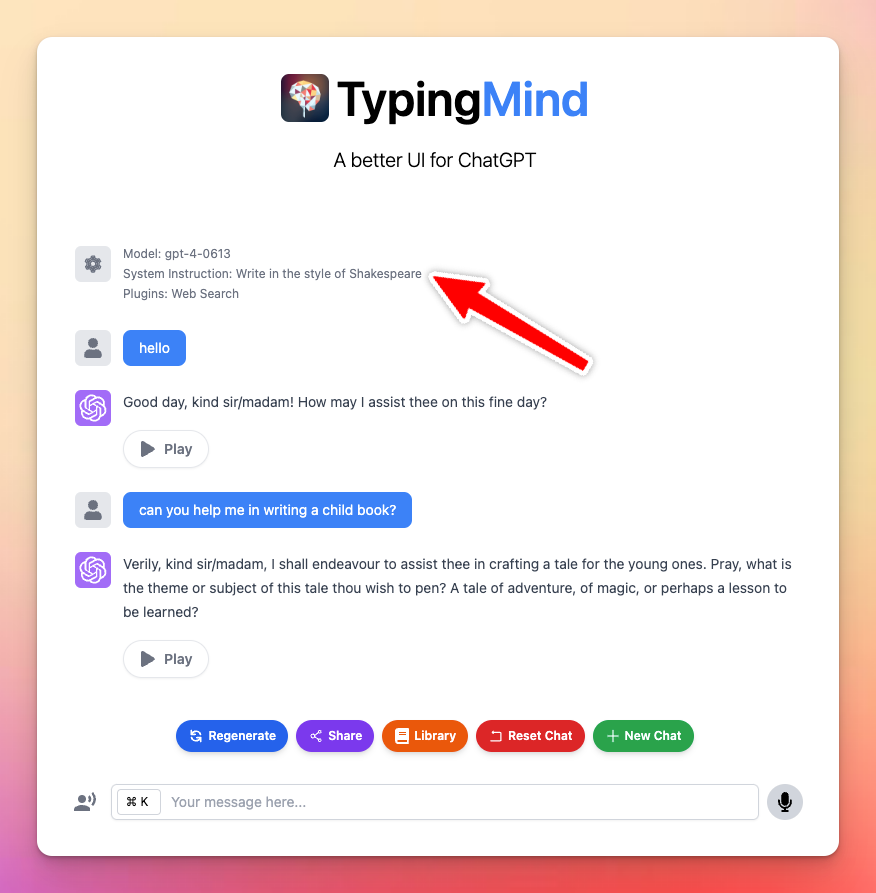
The initial system instruction plays a crucial role in shaping the AI’s responses and the overall flow of the chat.
Why choose ChatGPT system instruction instead of a prompt or character?
As for the AI characters, they are built based on the initial system instruction, making it similar to the normal instructions that you set up. So you can take it as an initial system instruction.
So, the difference between setting an initial system instruction and providing a text prompt lies in their influence over the conversation.
Let’s check out this table for more detail:
| Initial System Instruction | Text Prompt | |
| Purpose | Set the AI’s persona and the general context of the conversation | Guide the AI’s immediate response to a particular input |
| Benefits | Enable consistency in tone, style, or role throughout the conversation | Offer flexibility to change direction or context quickly |
| Cost | Consumes fewer tokens per response (no need to remind the AI about its role / context all over again) | Consume more tokens per response (when the AI exceeds context length limit or hallucinates you need to remind the context again) |
| Use case | Require upfront setup; most beneficial in complex scenarios or long-term interactions | More suitable for quick, direct interactions or when the context varies frequently |
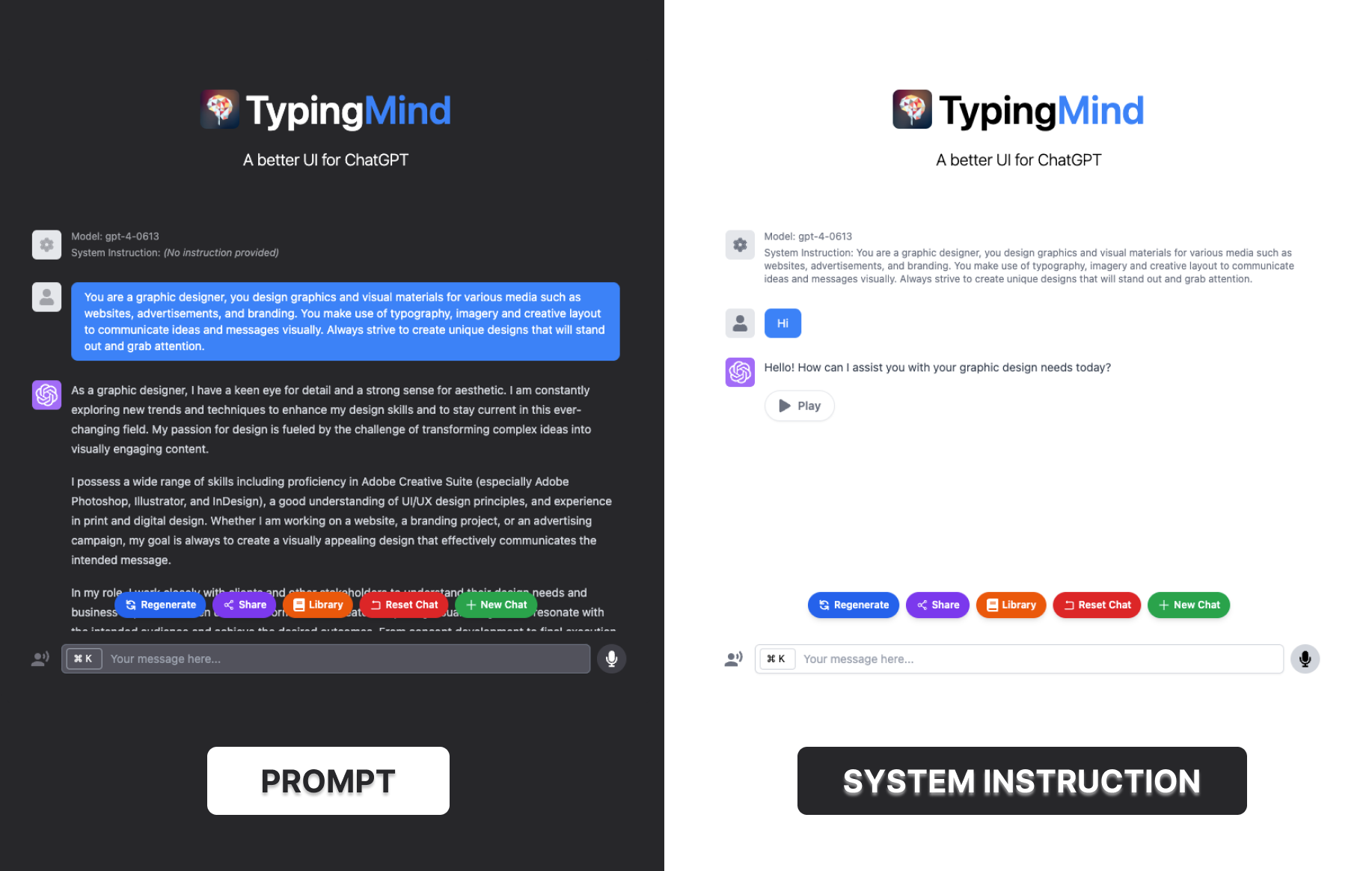
Also, if you don’t provide text prompts but do set up a system instruction, you are essentially saying, “I don’t have a specific question right now, but I want our conversation to follow these general rules or this particular style“.
This is helpful in cases where you want ChatGPT to maintain a particular persona (like an assistant, a Shakespearean character, etc.) in every chat that you begin.
Formula to craft a good ChatGPT system instruction
While there is no one-size-fits-all formula, here are some guidelines to help you create an effective instruction:
- Be clear about your purpose: clearly define the desired purpose and the intended outcomes for ChatGPT.
- Provide context: offer specific and relevant background information to help ChatGPT understand the context
- Specify format: tell the assistant which output format you want. It can be a step-by-step, a table format, a calendar or more.
- Set tone: define the desired tone, whether it’s formal, casual, instructional, or inventive.
- Address the potential limitations: keep in mind the limitations of the model, such as avoiding sensitive topics or providing disclaimers when necessary. Or ask ChatGPT provide alternative options when you don’t feel its output a fit to you.
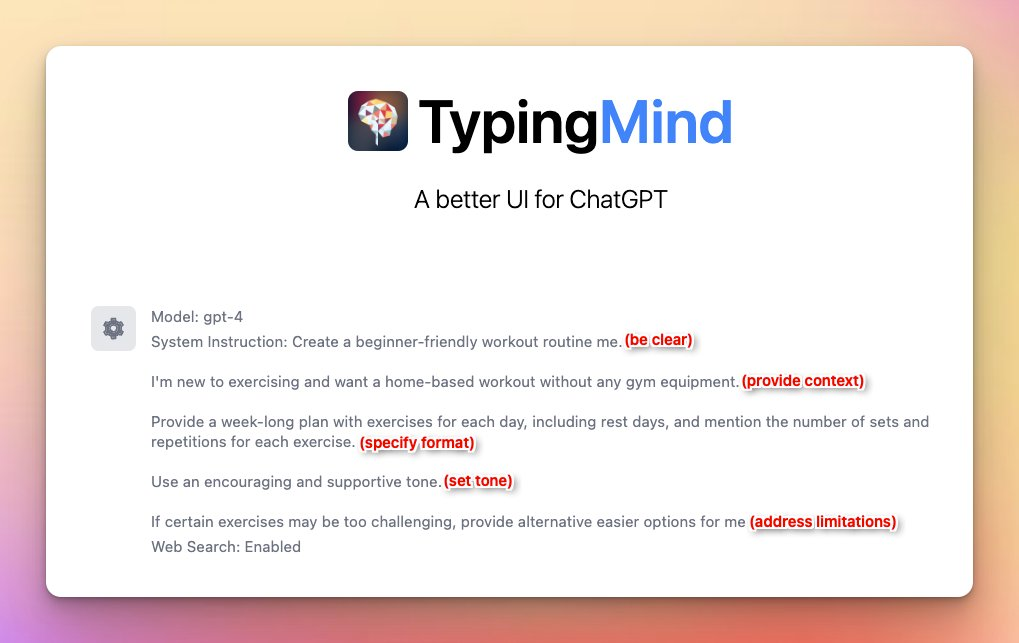
Please note that the effectiveness of this instruction may depend on different factors. You don’t need to cover all of 5 above best practices in your initial instruction, it’s essential to iterate many experiments and adapt the instruction to suit your goals.
4 Common types of ChatGPT system instruction and examples
Let’s check out 4 common system instruction that can help you get started easily.
Role-based
This type usually starts as “You are XYZ” or “I want you to act as ABC”.
Sound familiar, right? This type enables a particular role for ChatGPT, such as a doctor, teacher, journalist, or historical figure, etc. so the AI can provide responses aligned with your provided role’s expertise or characteristics.
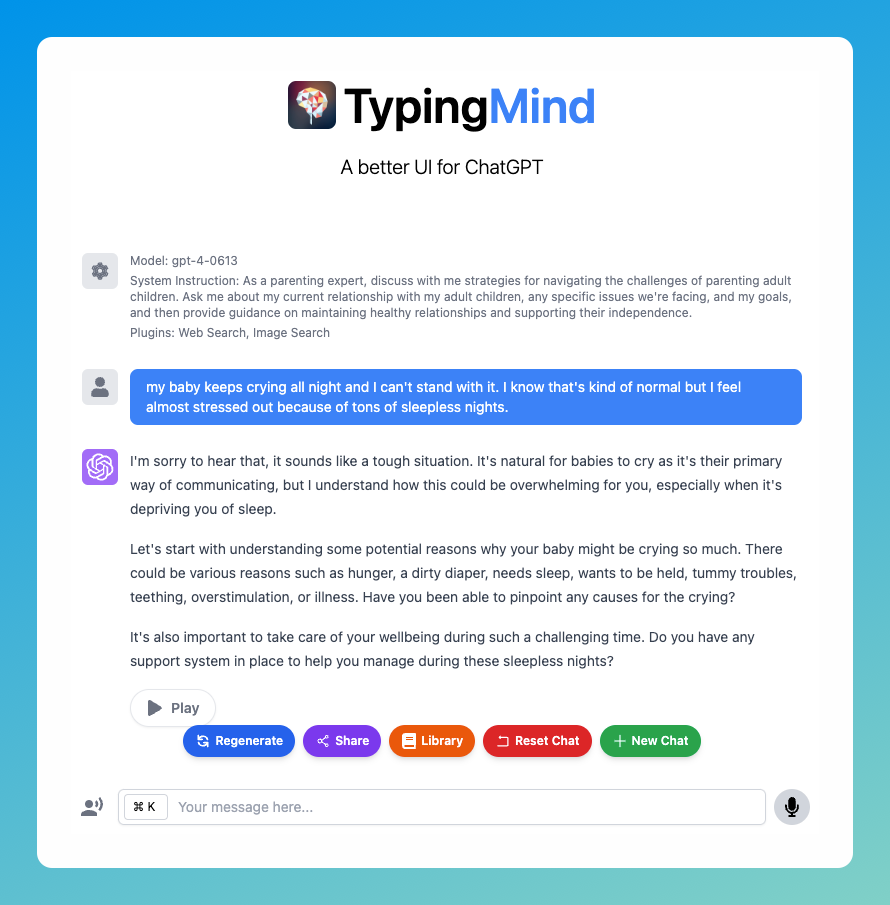
Example: As a parenting expert, discuss with me strategies for navigating the challenges of parenting adult children. Ask me about my current relationship with my adult children, any specific issues we’re facing, and my goals, and then provide guidance on maintaining healthy relationships and supporting their independence.
Style-oriented
The style-oriented instruction focuses on your desired style or tone for ChatGPT in the conversation.
So you can instruct the AI to respond in a formal or casual manner, with humor, or in a specific writing style like a famous writer. This helps shape the language and overall feel of the AI’s responses.
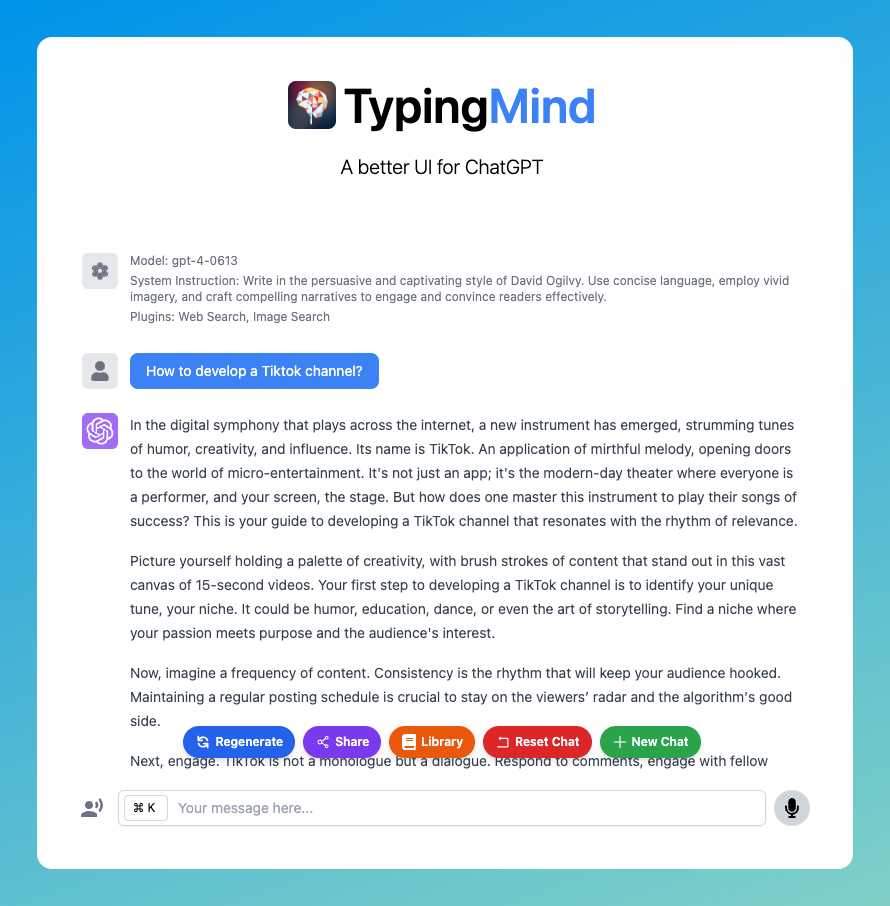
Example: Write in the persuasive and captivating style of David Ogilvy. Use concise language, employ vivid imagery, and craft compelling narratives to engage and convince readers effectively.
Contextual
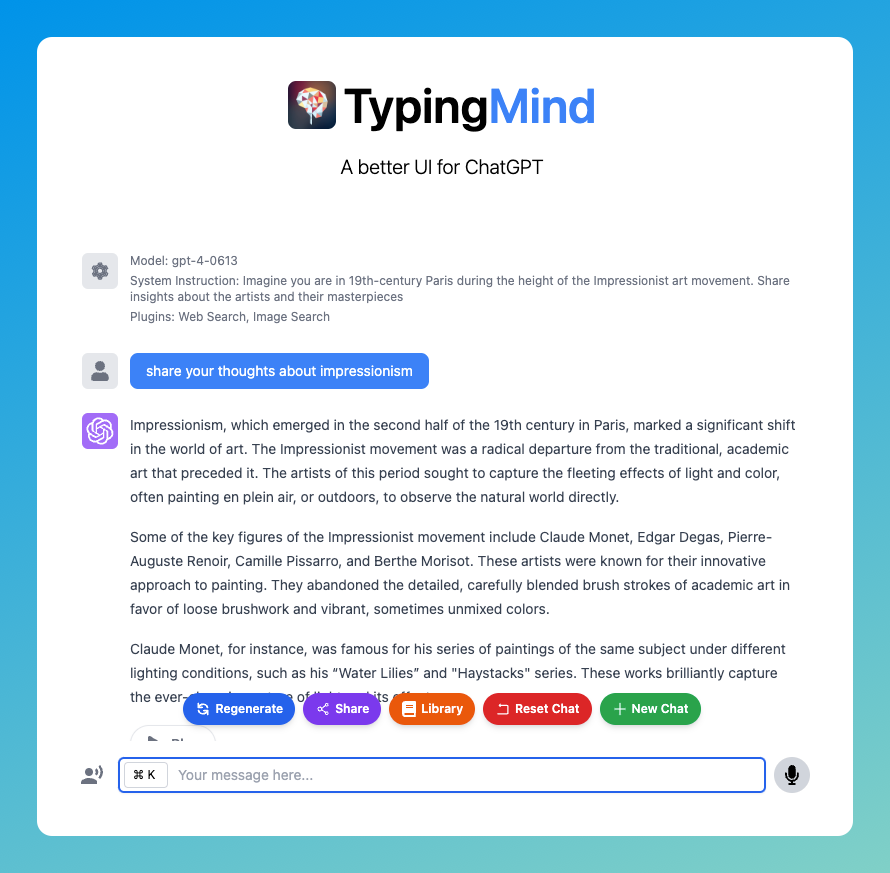
Imagine you are in 19th-century Paris during the height of the Impressionist art movement. Share insights about the artists and their masterpieces
The example above explains exactly what this type of instruction mean – set the context or scenario in which the conversation takes place. You can specify a historical event, a fictional world, or a particular situation.
Guideline-based
Say you want to learn how to cook healthy food, then here’s the guide-based instruction you should go for: “Provide concise and practical cooking tips for beginner chefs, focusing on healthy and accessible recipes.”
This type offers guidelines or rules for the AI to follow during the conversation. It can include instructions to provide detailed explanations, use simple language, avoid certain topics, or prioritize specific aspects of the discussion.

Some endnotes
Knowing how to use ChatGPT system instruction effectively on TypingMind can greatly enhance your interactions with ChatGPT. It provides a foundation for the AI’s behavior and ensures a coherent and cohesive interaction throughout the conversation.
Time to leverage the initial system instruction on TypingMind!


