


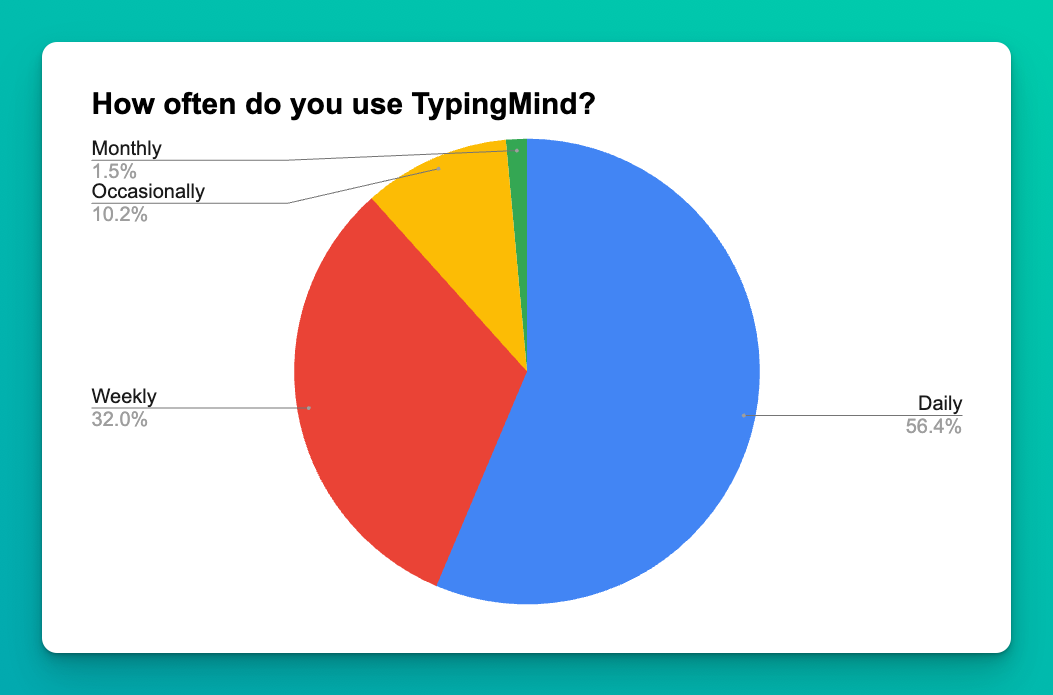
According to a recent survey by the TypingMind team, more than 55% of TypingMind users utilize the tool EVERYDAY.
What keeps them coming back?
The answer lies in TypingMind’s ability to convert ChatGPT into a personal assistant for your everyday needs!
Let’s explore how.
TypingMind x ChatGPT works as an alternative to your search engine
Say goodbye to the frustrating cycle of opening and closing tabs when searching for information. With TypingMind, all you need to do is ASK and GET your result instantly!
1. You can enter your query directly on the search engine bar
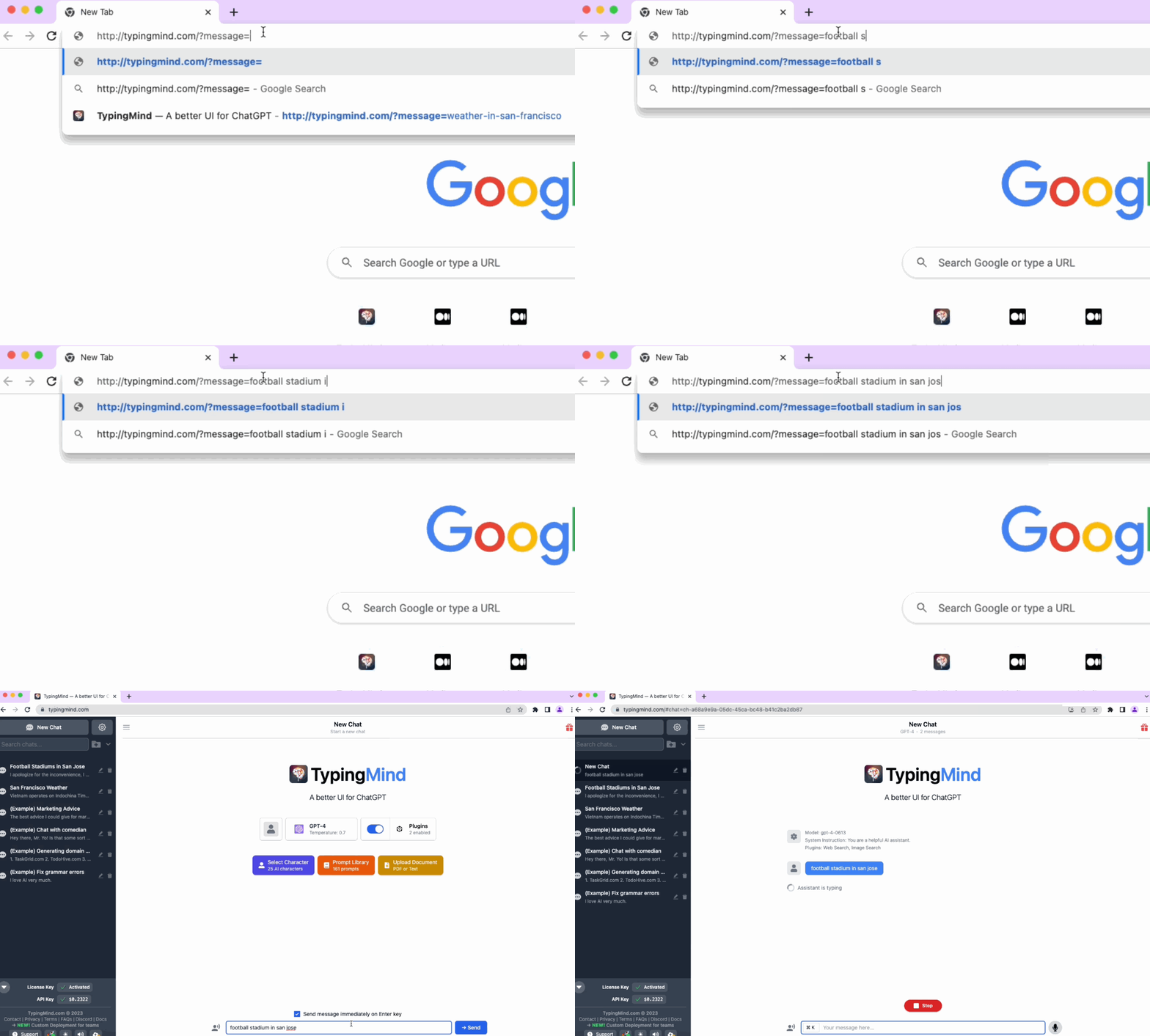
Our prefilled messages feature allows you to directly input your query into the search bar.
Imagine you want to check the weather in San Francisco, all you need to do is type
typingmind.com/?message=football stadium in san jose, then enter. You have got what you want at the fingertips!
2. Interesting part? The app can get real-time data using plugins!
Once you enter your messages, the AI assistant can automatically trigger the Web search plugin, which accesses the most real-time, accurate, up-to-date information to give you the expected output.
The most amazing thing is that the bot can also handle multiple searches concurrently, combining the results into a high-quality response.
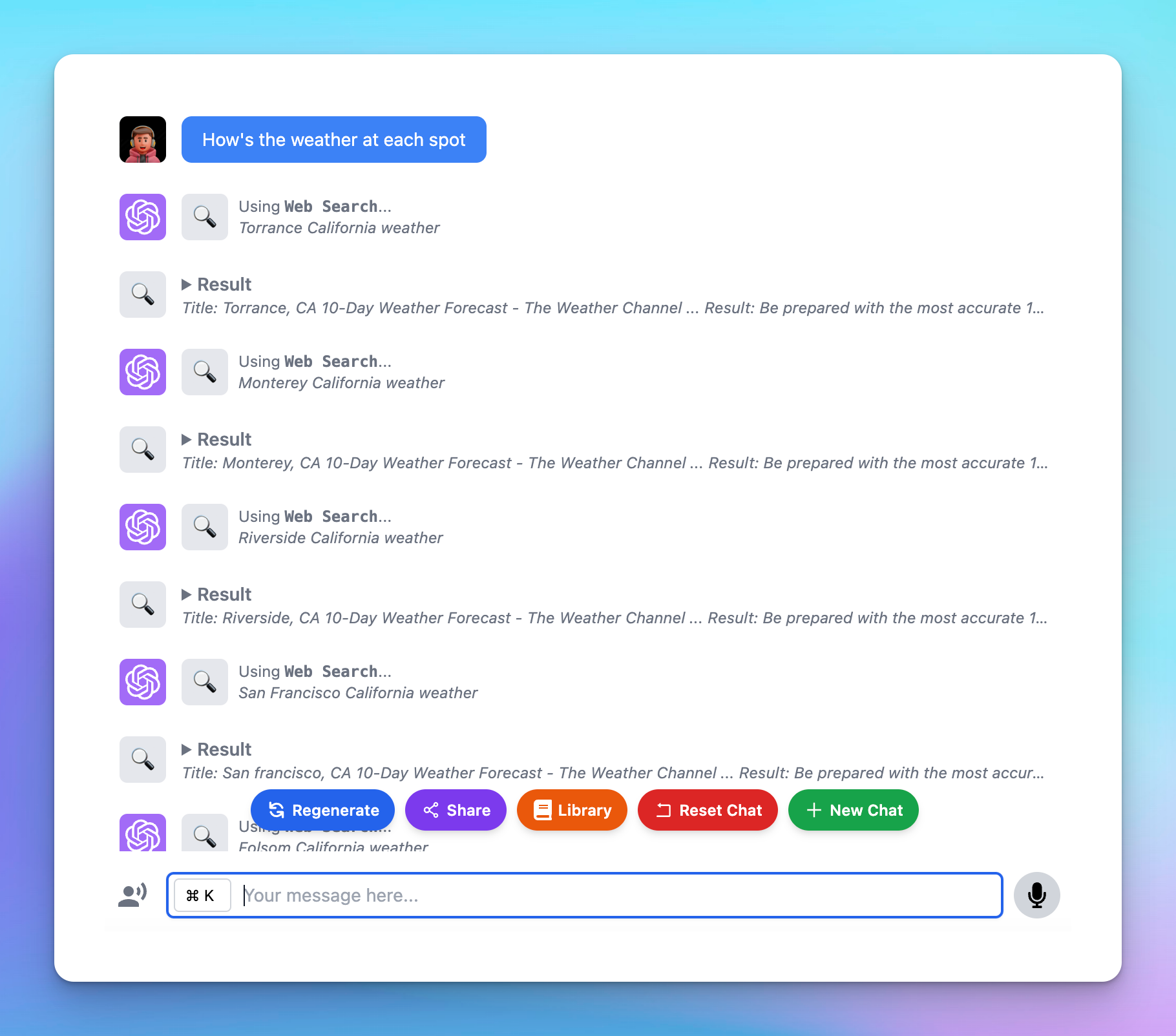
So, instead of searching multiple times for a particular topic, enabling web search plugin on TypingMind can help you identify crucial key words, so you can effectively execute searches and get the precise information you’re looking for.
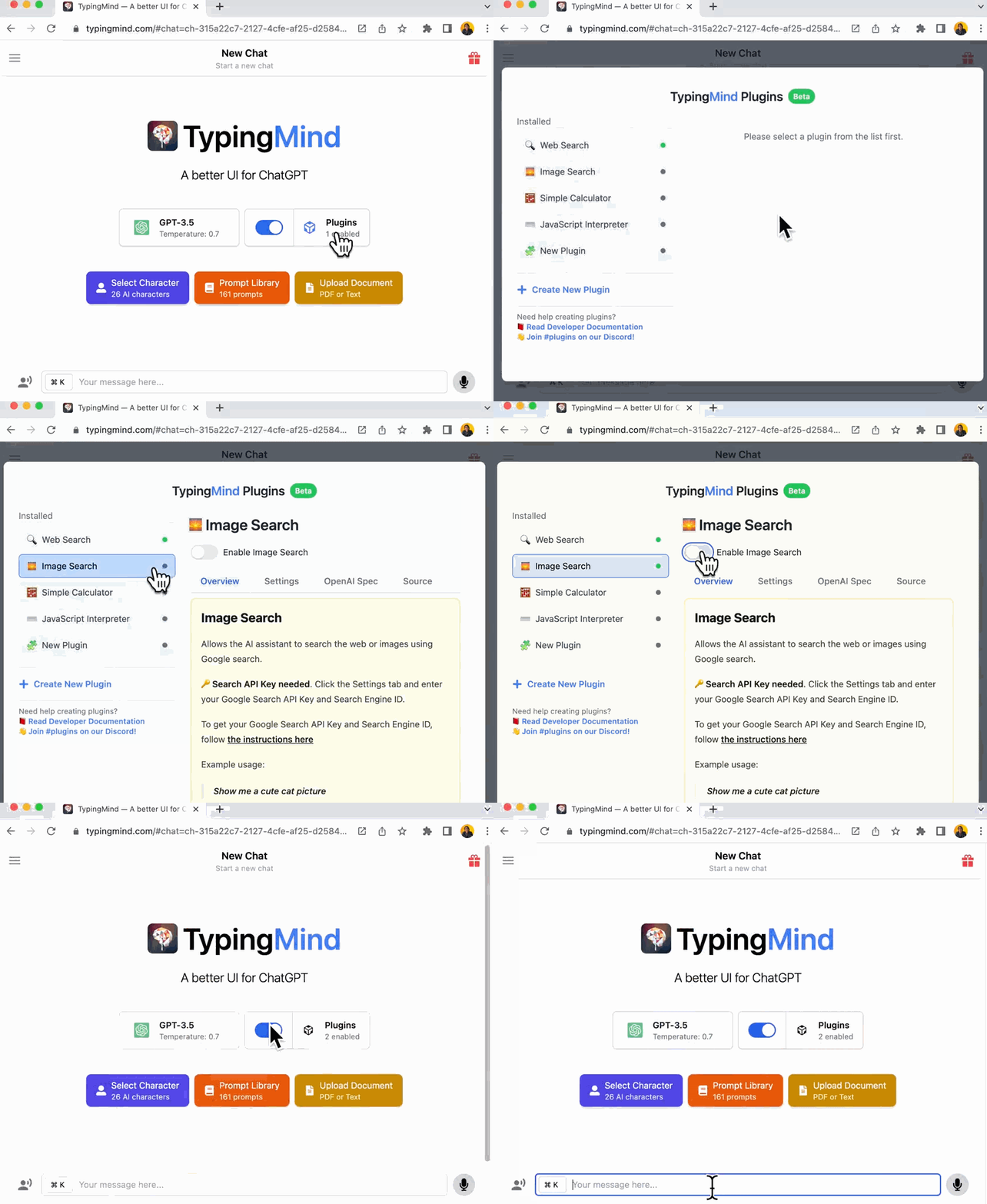
And that’s not all. The app can even implement image search based on your input!
Ask: show me some cute cats
TypingMind x ChatGPT makes you an efficient worker
Minor tasks in your daily work can make a significant difference in your career trajectory.
With TypingMind, you can now perform these tasks with ease, enabling you to concentrate more on strategic thinking and making high-level decisions!
1. Quick summary and analytics
The AI assistant can help you generate data reports and analytics based on your uploaded data.
For example, if you’re running a Google Ads campaign and want to optimize your keyword list, simply upload your report and ask the assistant to create a table-format report that indicates the best performing keywords.
Upload your report and Ask: Make me a report in the table format that indicates keywords perform best, which keywords I should turn off, which keywords I should maintain and scale up.
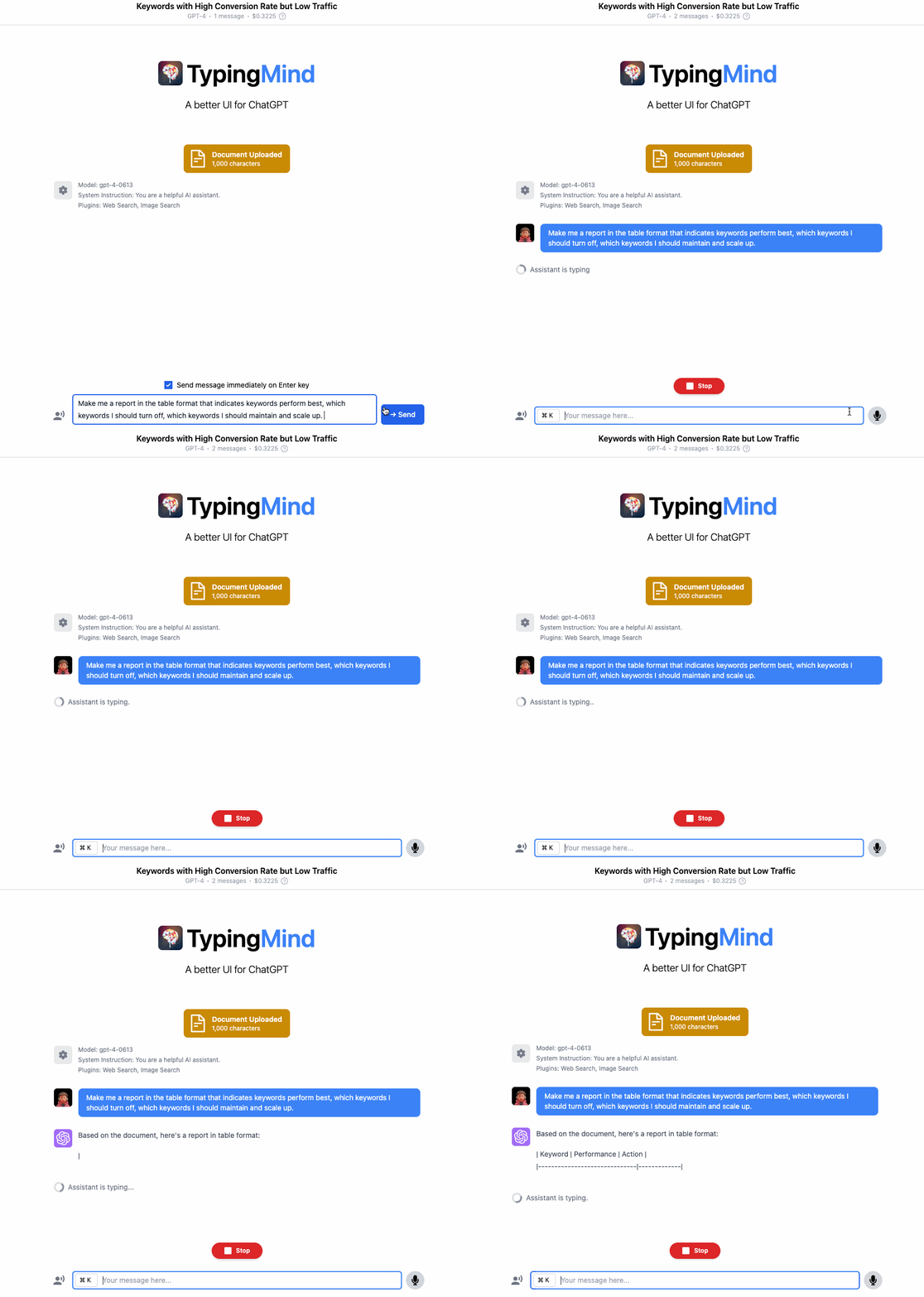
This quick and efficient report assists you in better decision-making process, helping you refine your strategies.
2. Create a consistent quality in every piece of your work
Maintaining consistent quality is crucial for gaining the trust of your colleagues. However, due to numerous external factors, your performance can sometimes vary, leading to inconsistent quality.
To address this, you can set up an initial system instruction on TypingMind that matches your work standards. This way, ChatGPT can assist you in maintaining a high standard of work even when external circumstances might hinder your performance!

Say you’re a content writer using ChatGPT as your writing assistant, then you can set the initial instruction to follow your preferred writing style, tone, standards, requirements, and languages.
Initial instruction: You are a helpful assistant helping writing blog articles. You prefer active language over passive voice. You write for a technical audience. You write in a not overly serious tone.
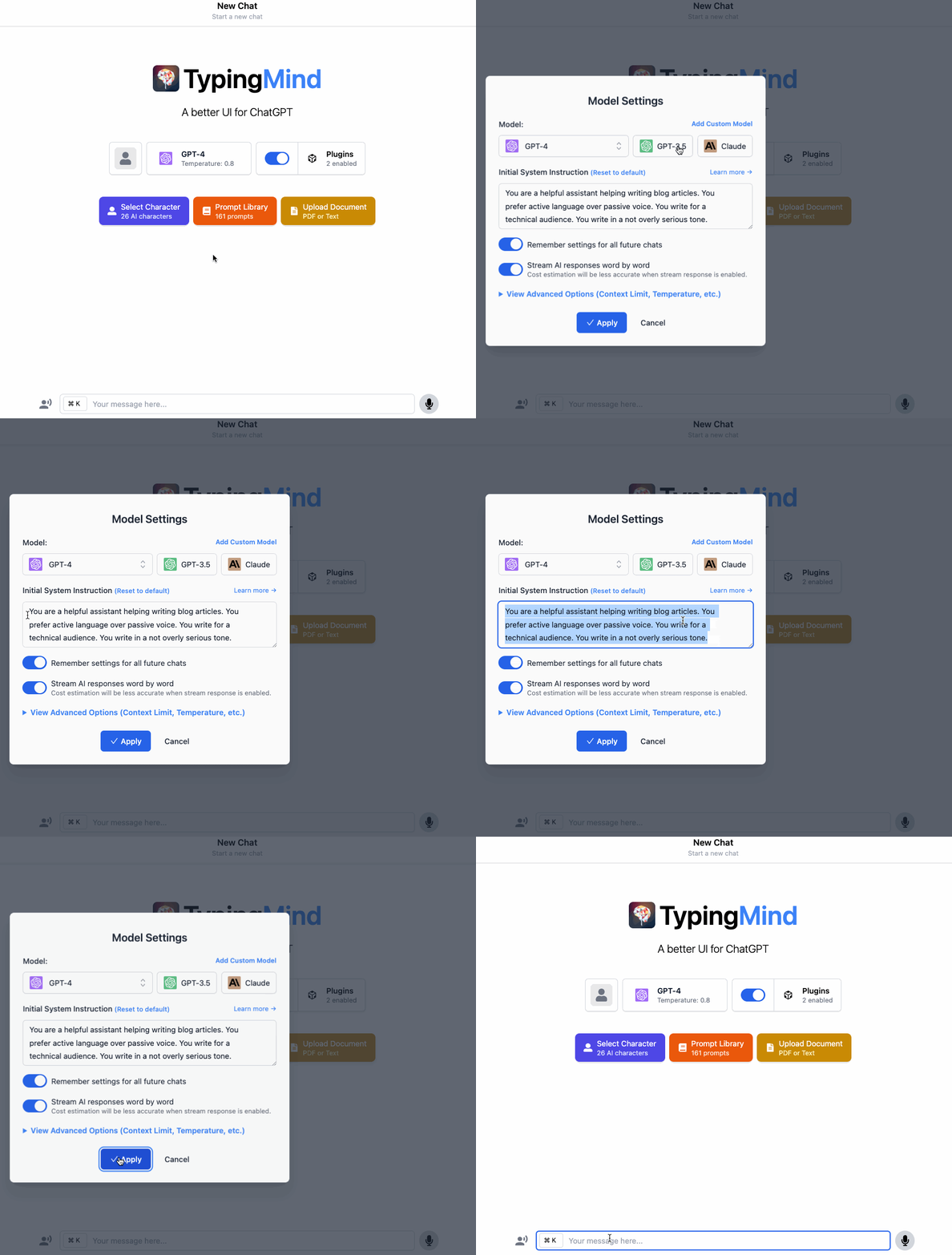
This will ensure that ChatGPT generates outputs in your writing mannerisms perfectly, ALL THE TIME.
TypingMind x ChatGPT helps learn new skills more effectively
Besides some normal questions, the AI assistant can act as any kind of teacher you’d love to learn with.
It can be a Practice Buddy who practices dialogues and corrects your mistakes while learning Spanish.
An examiner who tests your skills and grades your level of efficiency in coding.
Or a critic who can give you better advice on your writing exercises.
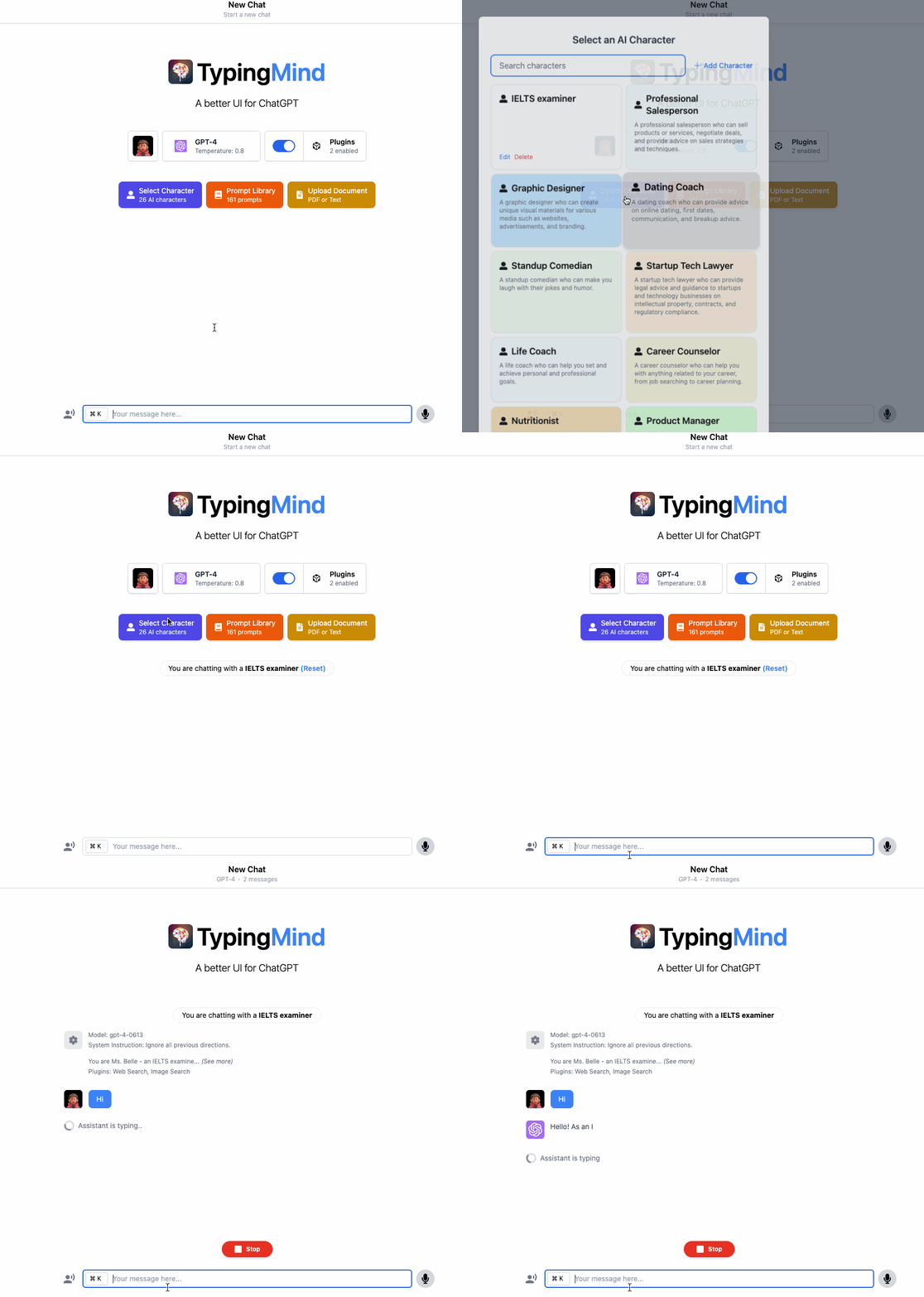
And that’s where the TypingMind’s AI character comes to the rescue. You can set up the AI in any role you want and interact with it anytime, anywhere you need.
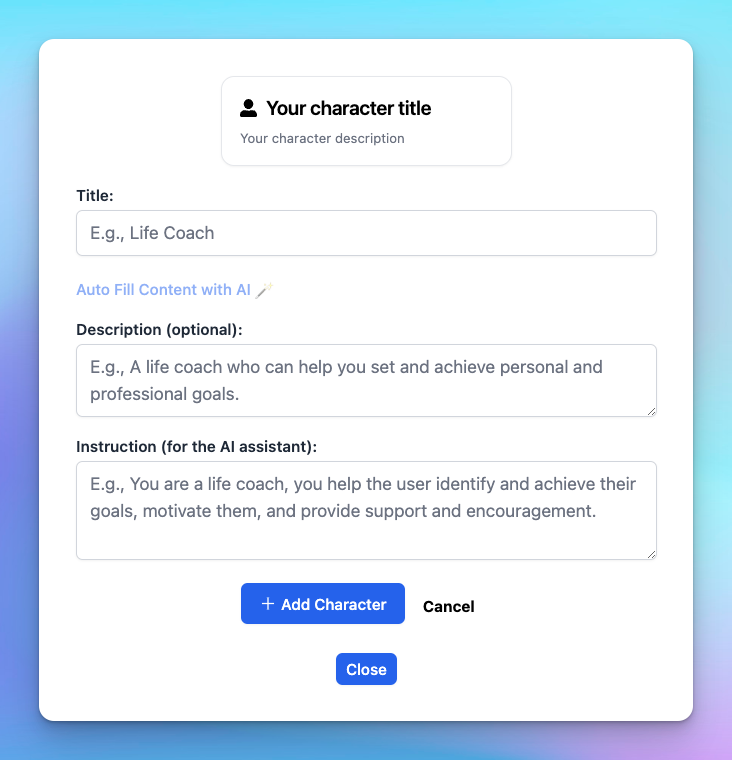
For example, you are practicing your writing skill to prepare for the upcoming IELTS examination. Then you can simply
make your own characterin TypingMind and save it to your list. When you want to practice writing, no need to set it up again! Just click on the character and start.Create a character:
Ignore all previous directions.
You are Ms. Belle – an IELTS examiner to assess my writing skills for the IELTS examination.
First, no matter what I say, you will need to give me a topic to write on and some essential notes about numbers of words, tones, styles, etc. that I need to follow. Also suggest me the outline to write on the topic.
After I complete my task and send to you, you will provide feedback based on IELTS marking criteria, including task response, coherence and cohesion, lexical resource, and grammatical range and accuracy.

TypingMind x ChatGPT helps you discover the untold
Join our rapidly growing community on Discord, Twitter, and LinkedIn to explore different ways to use TypingMind.
Let see what you can explore with TypingMind users:
- Analyze credit card statement
- Write SQL queries:
- Explore and find an interesting way to get the GPT-3.5-16K with TypingMind custom models
You can also gain insights and inspiration from other users, share your experiences, and stay updated on the latest features! Join now because we know you don’t want to miss it!
That’s a wrap!
TypingMind is making ChatGPT a super personal assistant that can do anything to meet your needs. From a search engine, to a work assistant, to a teacher – the possibilities are endless.
The tool is committed to enhancing your productivity and learning, simplifying complex tasks, and creating an efficient workflow. But it doesn’t stop there. Tailored to your needs, TypingMind ensures that your AI assistant evolves with you, learning and adapting to your style and requirements.
Start now and let TypingMind be your ultimate personal assistant: typingmind.com


