


As you may know, accessing to the GPT-4 model on TypingMind is not granted automatically. To use this model, you must first be given access to the GPT-4 API by OpenAI.
And now it’s much easier to access GPT-4 via API, all you need is a prepaid billing account.
Let’s check what it is and how to set it up!
Please note that the GPT-4 access in ChatGPT Plus is completely different from the GPT-4 access via API – which is currently being used on TypingMind.
4 Steps to Setup a Prepaid Billing Account
Here are 4 easy steps to set it up:
- Go to your billing overview in your account settings

2. Click “Start payment plan” and add your billing details


3. Choose the initial amount of credits you want to purchase. The minimum purchase is $5.

4. Confirm and purchase your initial amount of credits.


Once you have done purchasing credits, OpenAI will grant you access to the GPT-4 API immediately.
You can also check out this article from OpenAI for more details of prepaid billing.
Use GPT-4 on TypingMind
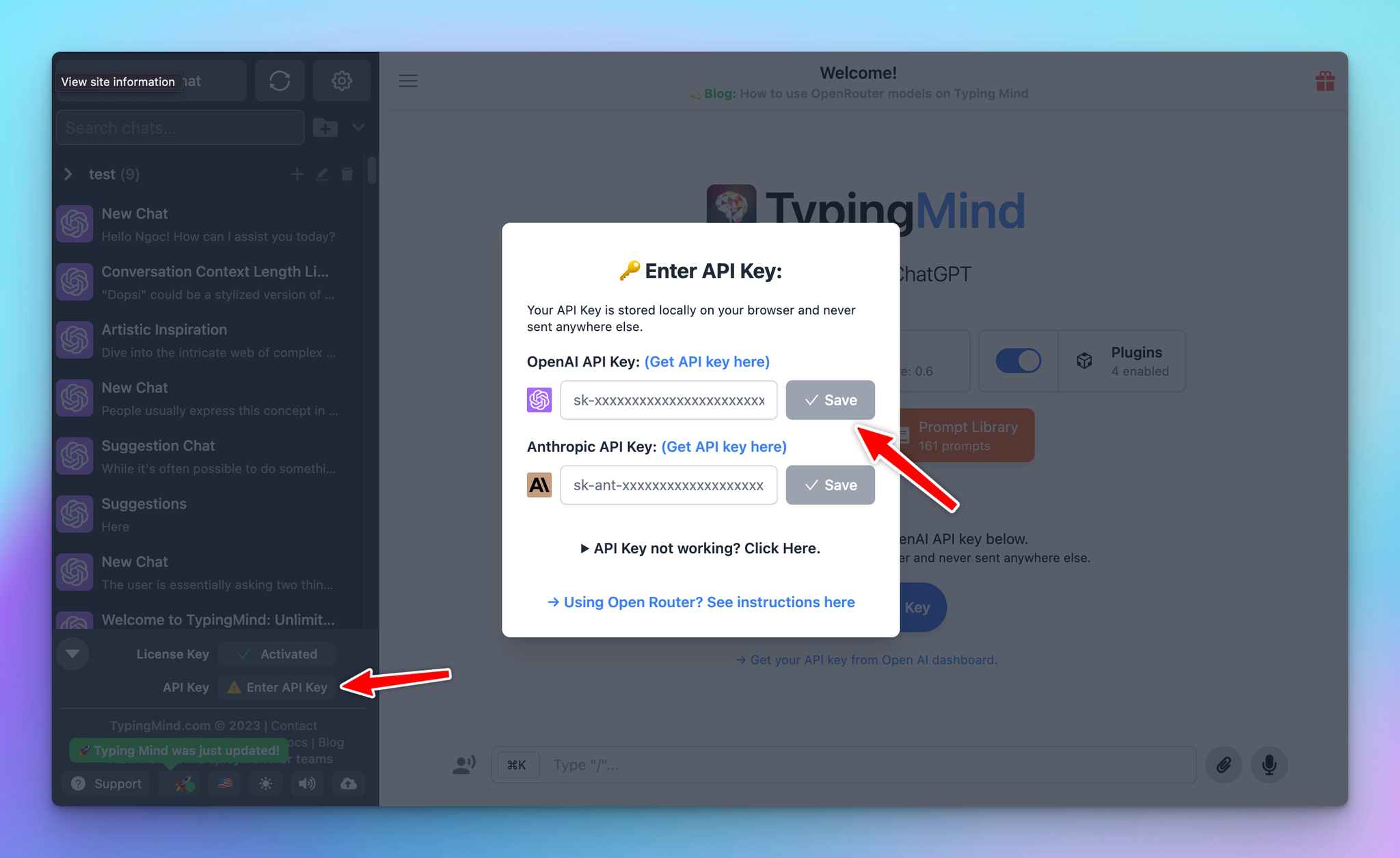
You can then copy your API key and enter it on TypingMind:
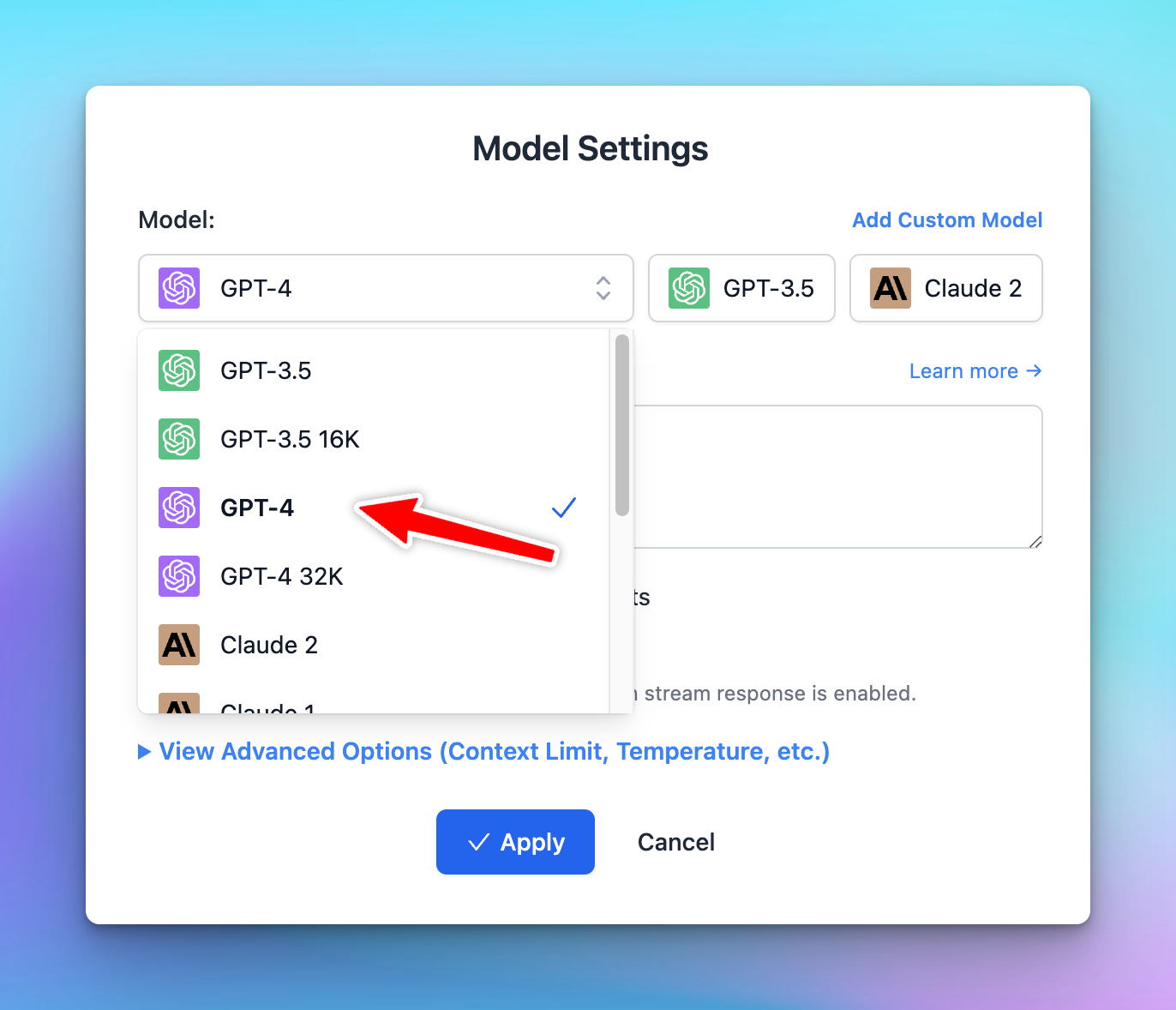
After that, switch the chat model to GPT-4-8K and interact with this model as normal:
The GPT-4-32K API isn’t available for everyone yet. In case you want to use this model, you can use it via OpenRouter.
Hope this article has provided you with a clear understanding of how to access GPT-4 on TypingMind. Now let’s explore its capabilities in optimizing your workflow!


