


Great news 🥳
You can now train ChatGPT with multiple documents and control access for your chat instance!
Let’s check out how!
🔥These updates are for TypingMind Custom – the easiest way to create a private/custom AI assistant for your team!
🌟 Upload multiple docs
- Upload as many PDF, CSV, TXT files as you want (limited to 25MB per file) to train your chatbot for personalized, accurate responses.
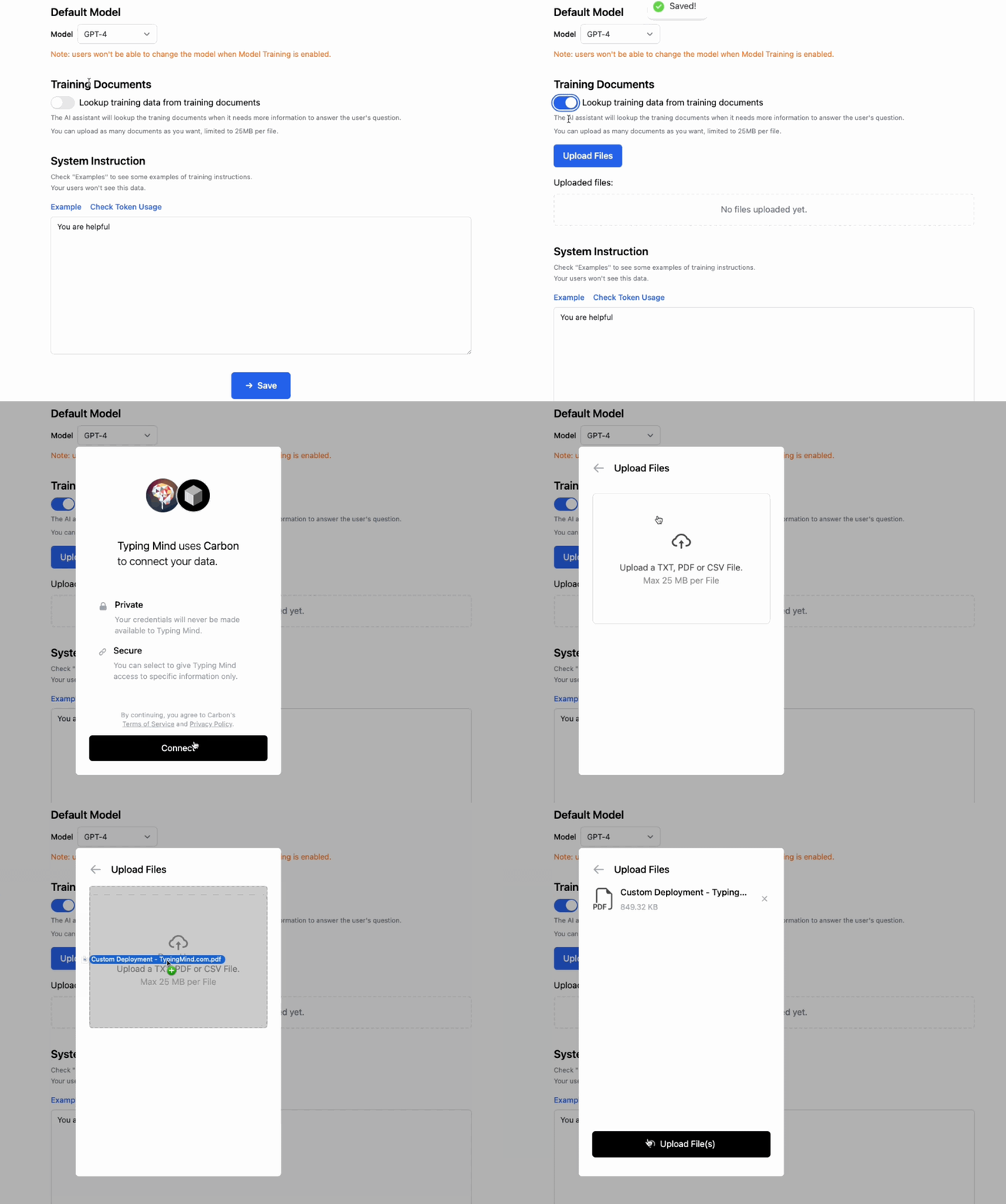
- Secure and private: your members can’t read or download your files. All uploaded files are encrypted in transit and at rest.
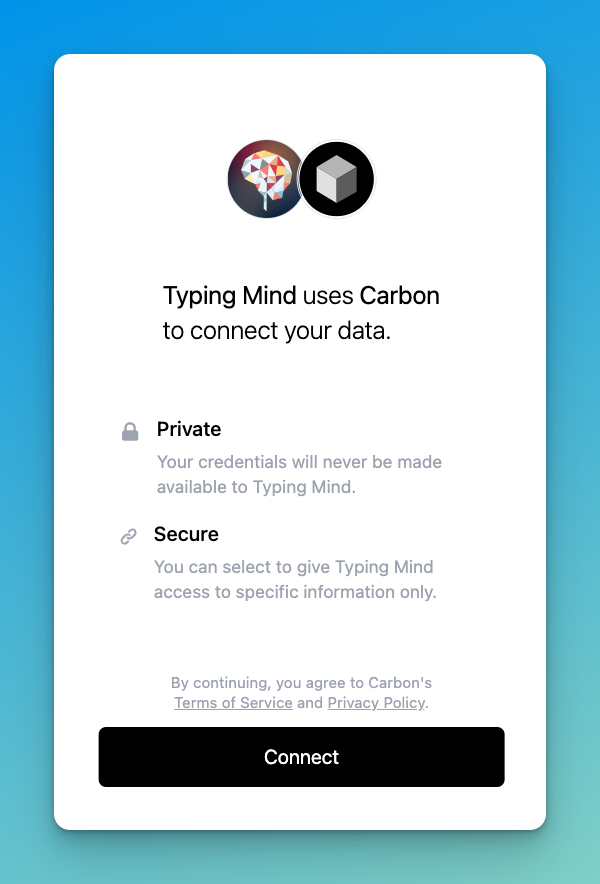
- Flexible use since it’s compatible with both OpenAI and Anthropic Claude models.
😎 Hold on, there’s more
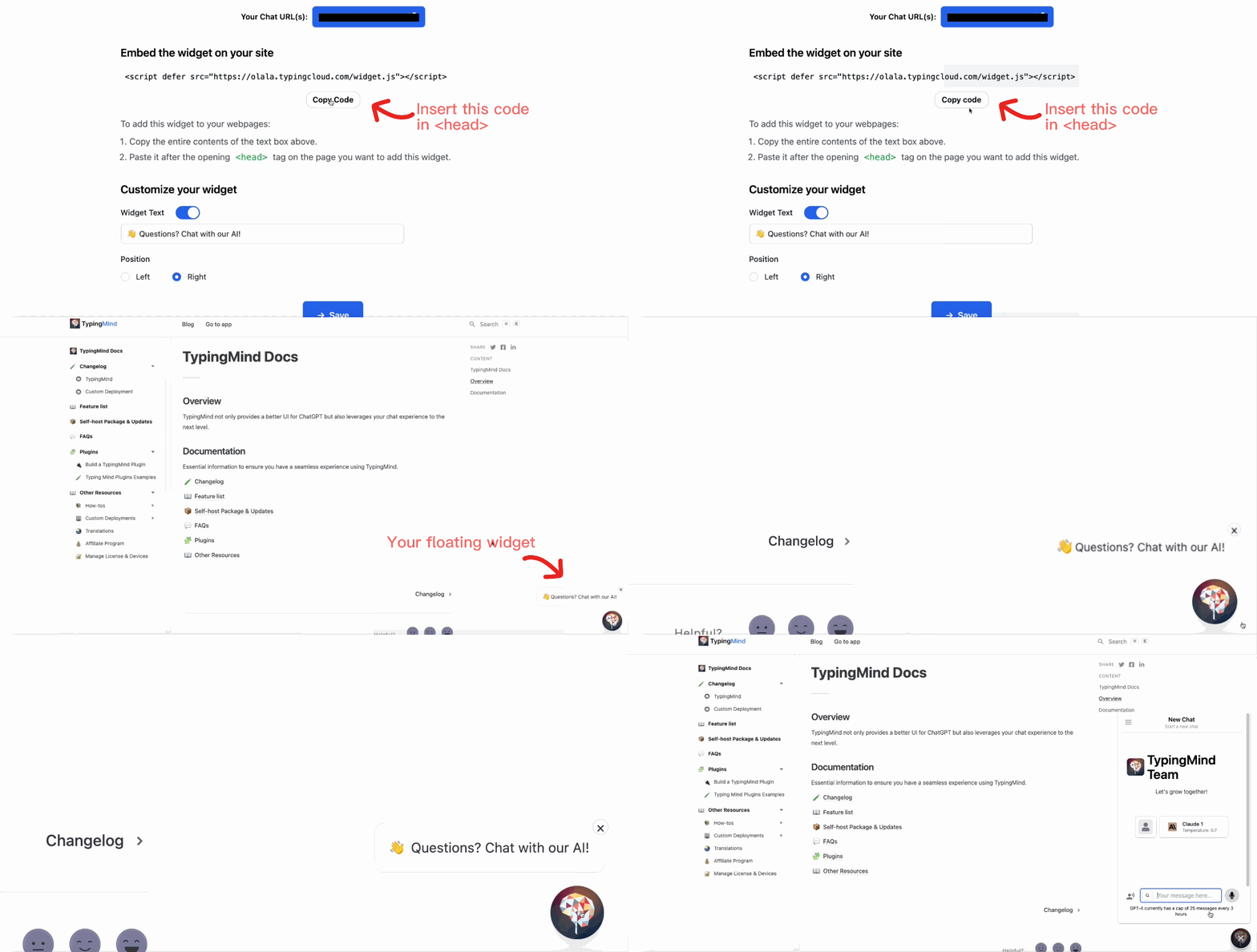
- Embed chat instance as a floating widget to your website to boost interaction and customer engagement.
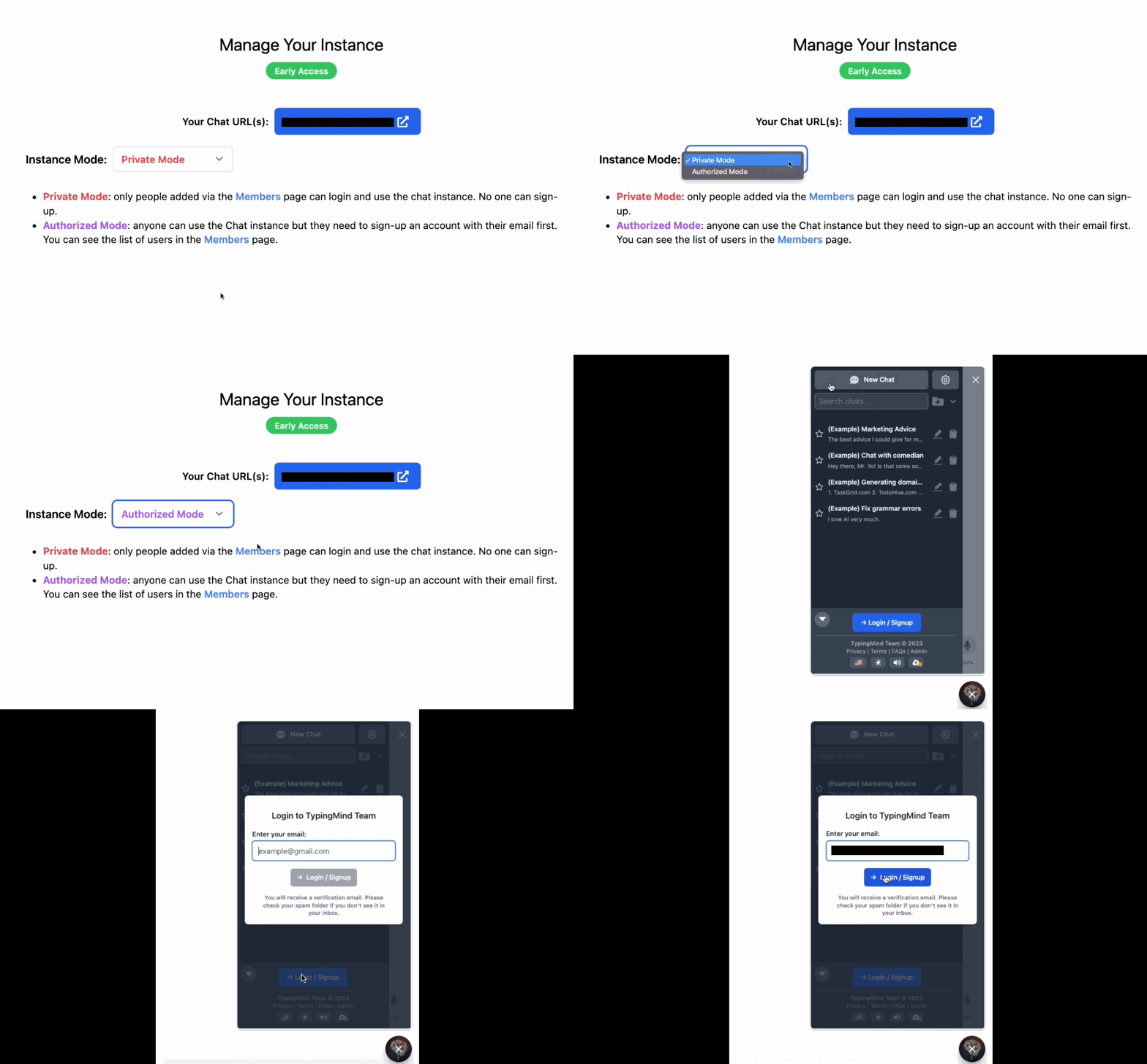
- Control access to your chat instance, available in 2 modes:🔴 Private mode: invited members only🟣 Authorized mode: anyone with a verified email can access
💼 Some exciting use cases
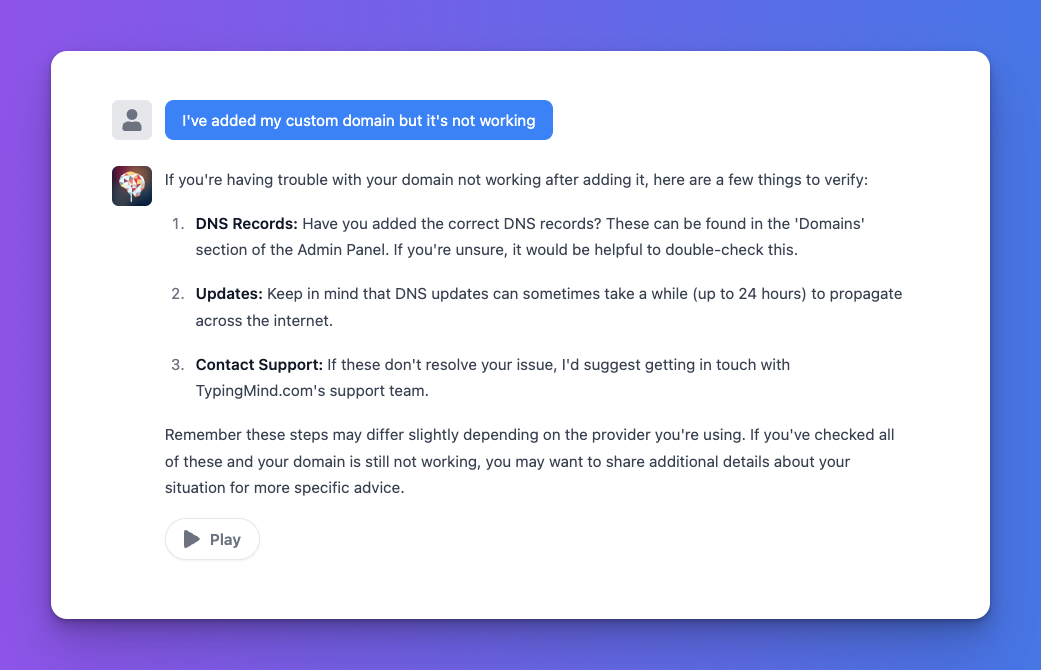
- Assistant to Customer support team: train bot on documents like FAQs and product manuals to assist your support team in providing quicker, more accurate responses.
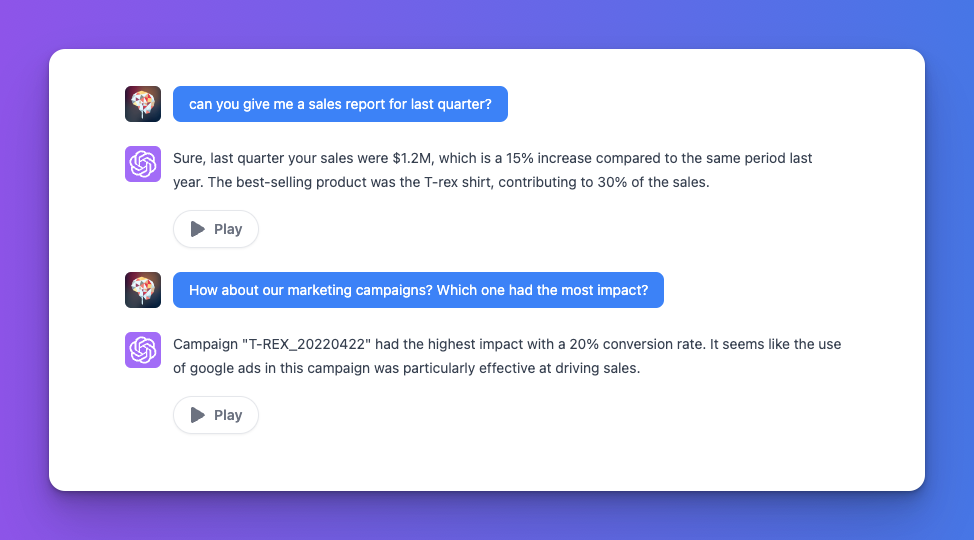
- Business monitor bot: use historical sales data, campaign performance, market trends to analyze business performance and predict on upcoming plans.
👀 Upcoming updates
We’re actively working towards a more flexible and accessible chatbot. Here’s a teaser of upcoming updates:
- Chat message history
- Custom theme & colors
- Notion data integration
Follow us now to get the latest updates!
Full changelog and tips
Changelog 👉 typingmind.com/changelog
Tips to maximize the value of TypingMind 👉 blog.typingmind.com
The possibilities are endless!
Time to dive in TypingMind custom and experiment your awesome ideas!
Keep growing ❤️
The TypingMind team.


