


👋 Hello everyone,
Our team has consistently updated TypingMind custom to make it the most flexible and secure chatbot that you can rely on.
Let’s check out the recent updates!
- Refresh the app page to enjoy all new updates👇
Some 🔥 updates
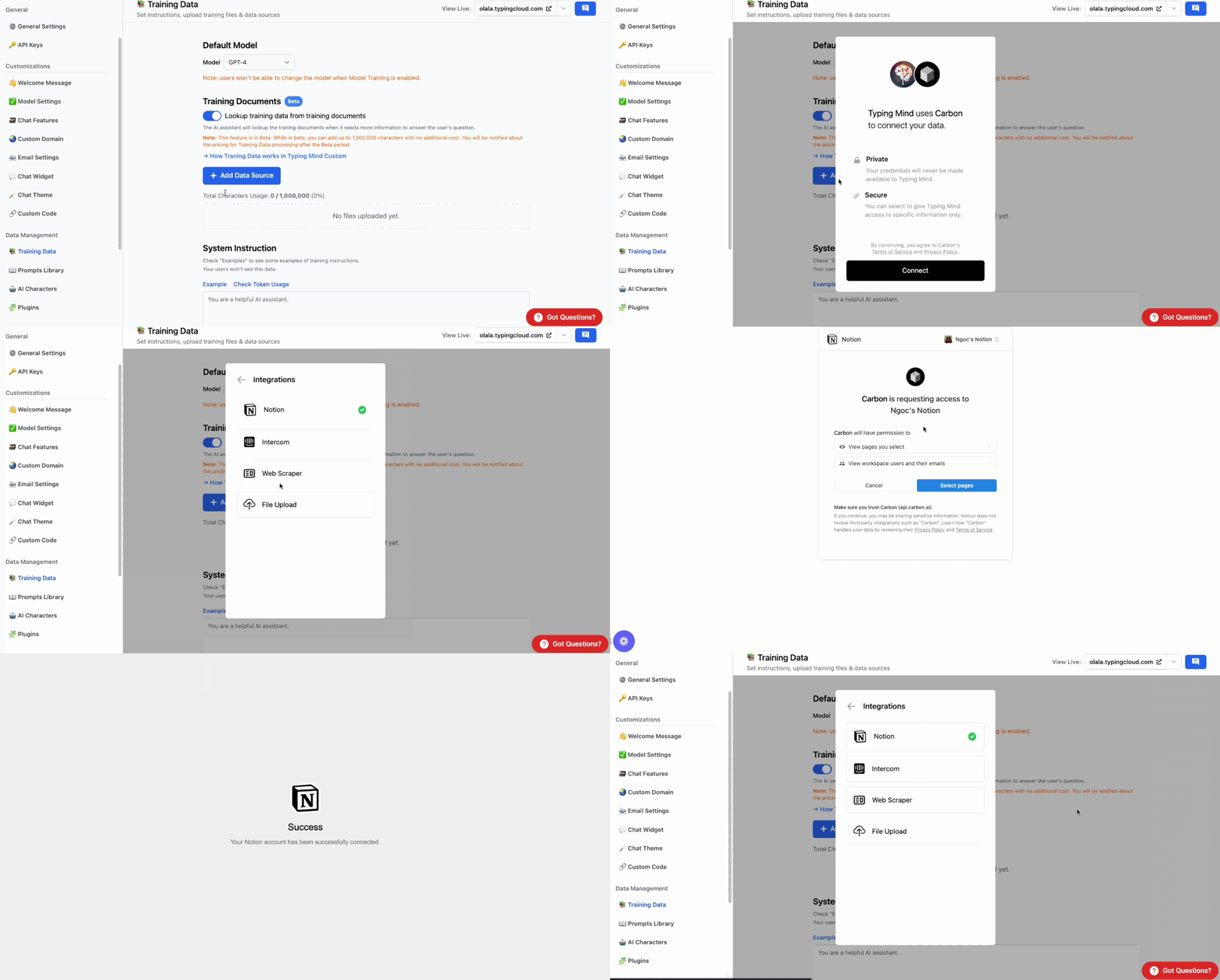
- Connect with your data sources such as PDF, TXT, PPTX, CSV, Docs, Notion, Intercom, Web URL (more to come: Google Drive, OneDrive, Confluence, Dropbox, etc.)This feature is still in beta.
- Public Mode is now available. This allows everyone to interact with your chat interface. 50+ users required to enable this public mode

- Add training examples in Training data so you can train the bot to generate responses as you expect.

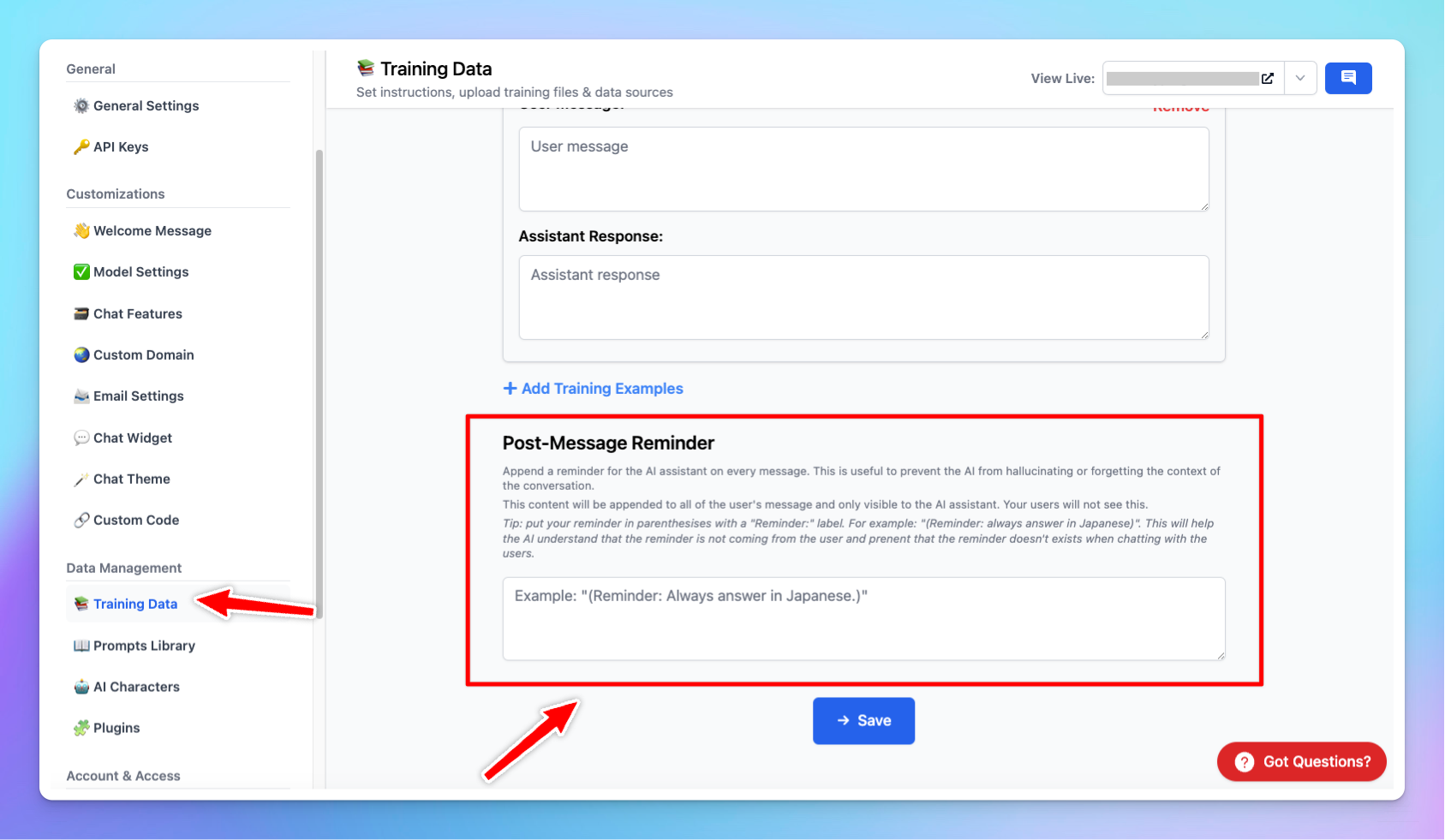
- Post-message reminder is super helpful to make the AI remember the context and avoid hallucination
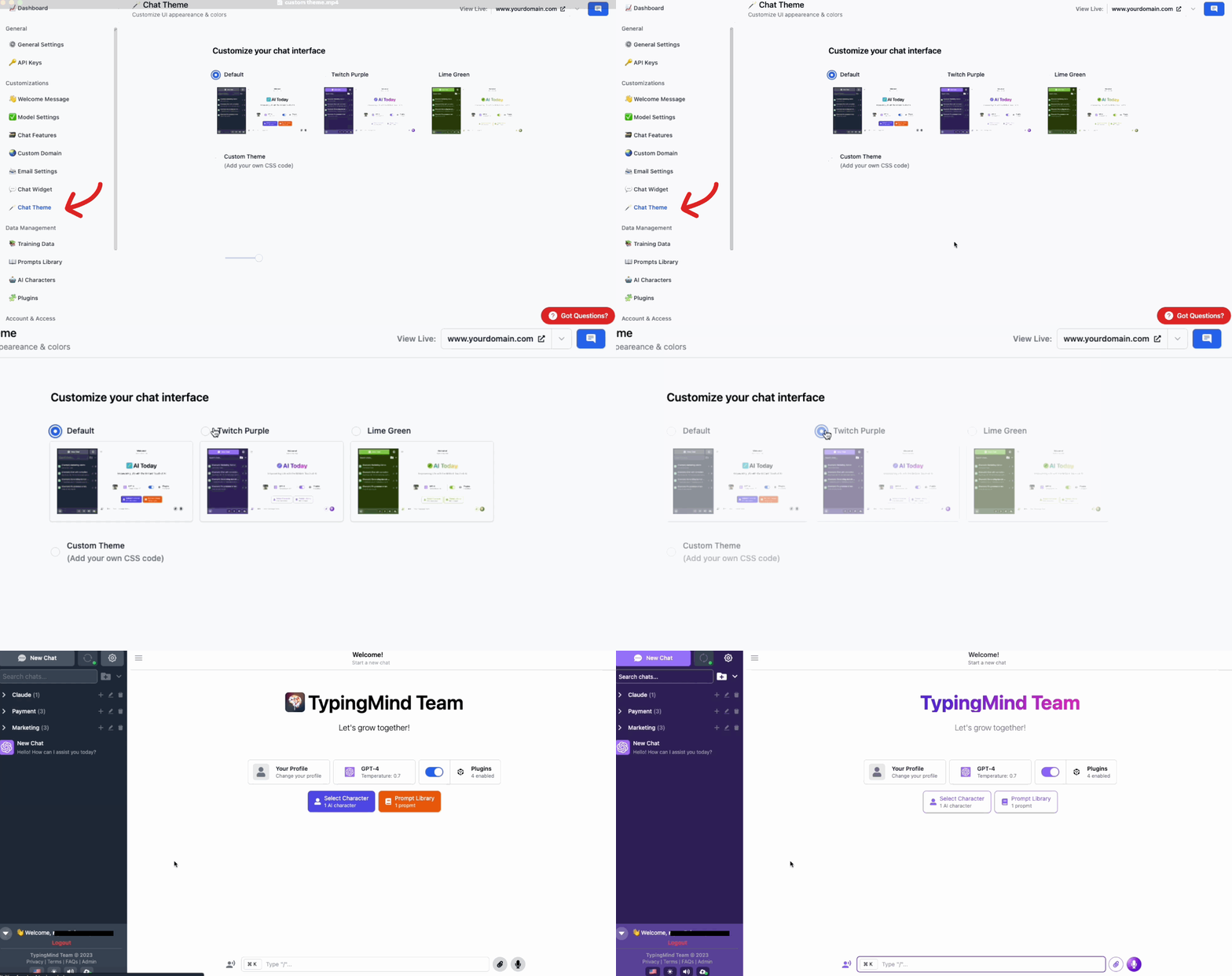
- Custom theme for your chat interface to match your brand style.
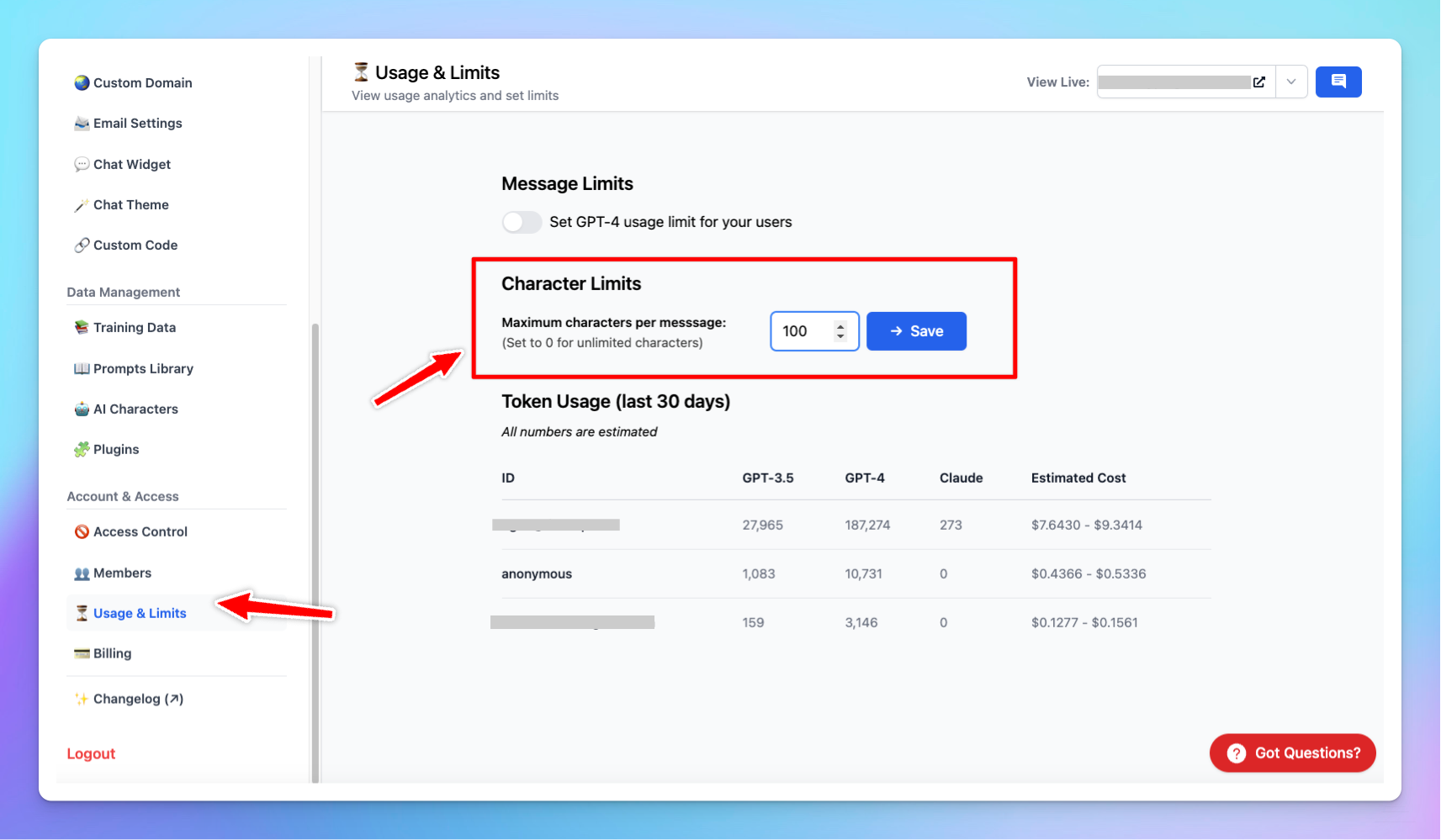
- Character limit per message for your team members.
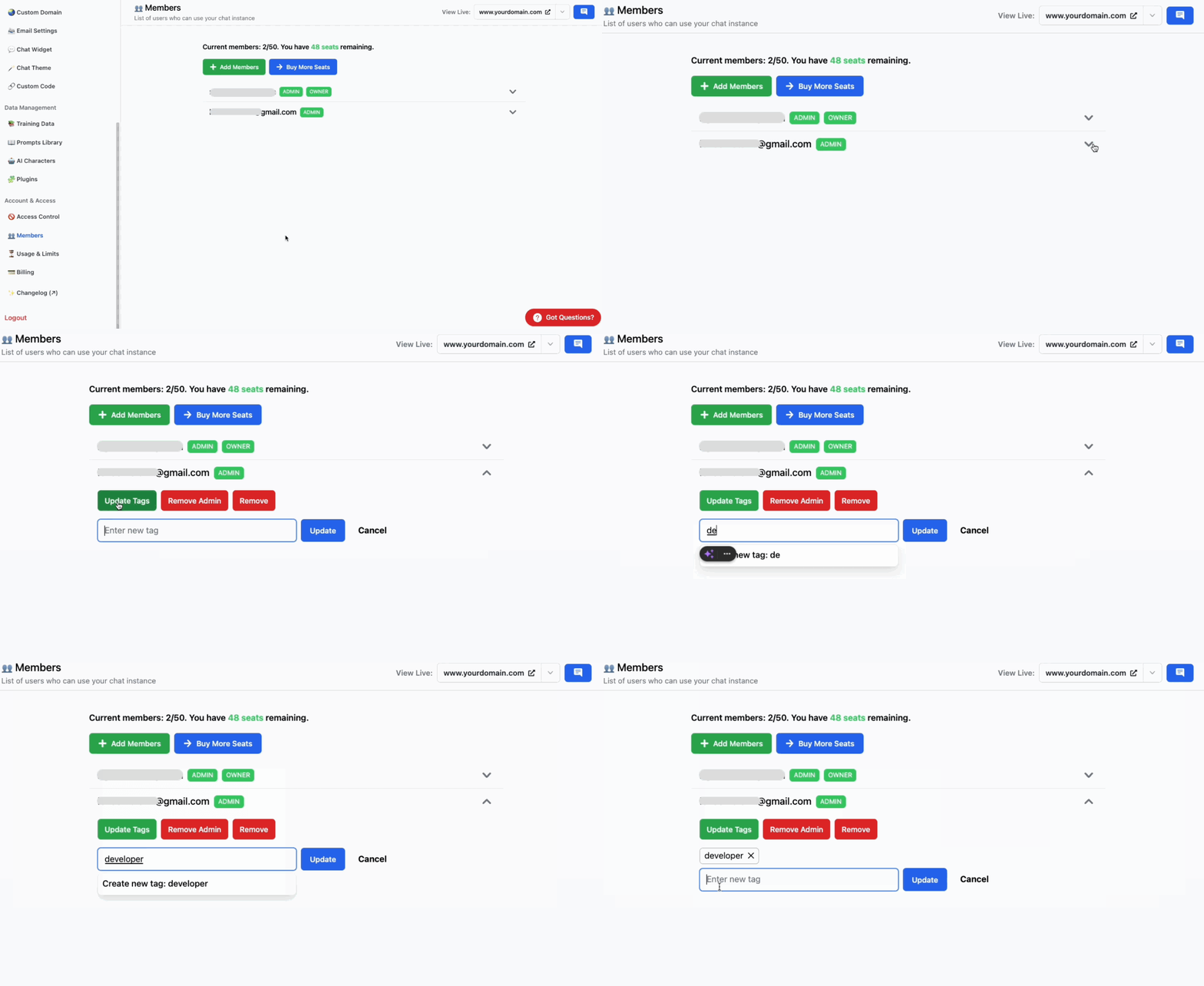
🏷️ Assign tags for your members
- Now you can assign tags for your team members to:👉 Categorize and manage members more effectively👉 Control access to certain prompts / AI charactersEach member can be assigned multiple tags.
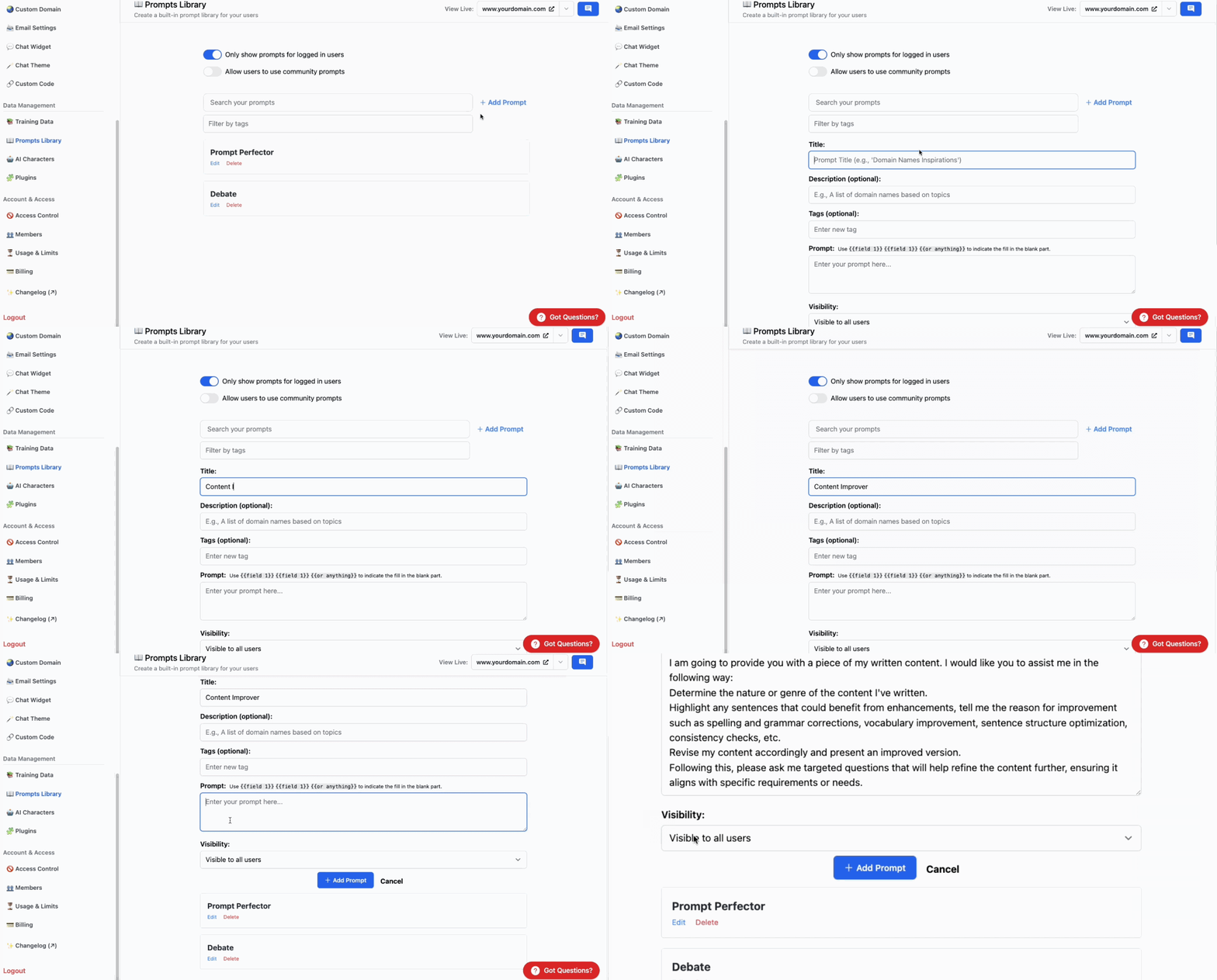
- Make your prompts only visible to specific tags.Add/Edit prompt –> Choose “Visible only to users with Tags” in Visibility –> Enter the member tags.👇 Example: only members with tag “content” have access to the Content Improver prompt.
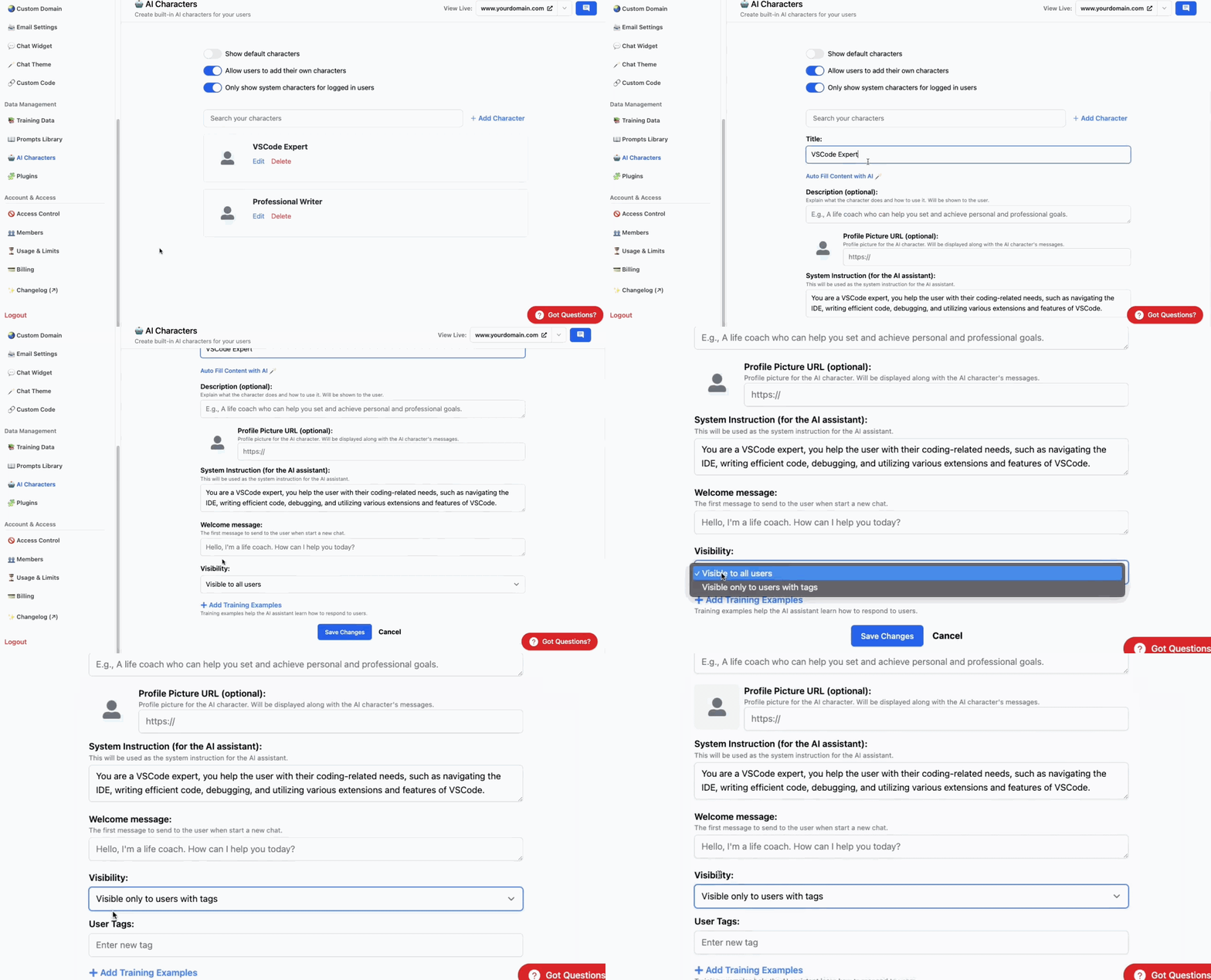
- Make your AI characters only visible to specific tags.Add/edit a character–> Choose “Visible only to users with Tags” in Visibility –> Enter the member tags.👇 Example: only members with tag “developer” have access to the VSCode Expert character.
✨ New Landing Page
- We have just rebuilt the landing page for TypingMind Custom: custom.typingmind.com🔹 Easier to login / signup🔹 Better reflect how the app operates as a private and secure chatbots for your teams.

Full changelog and tips
See the full changelog here.
Tips to maximize TypingMind’s full potential → blog.typingmind.com
That’s a wrap!
Hope you enjoy these updates.
We are on the quest to make TypingMind the most flexible way to create a chatbot. There’s even more way to personalize and control your chatbot to come!
Have a productive day ❤️
The TypingMind team.


