


👋 Hello everyone,
Here’s some spotlights for TypingMind Custom that you don’t want to skip.
Let’s go!
- Refresh the app page to enjoy all new updates👇
🧩 More control on Plugins
- You can now Pre-set Web search and Image Search plugins. Just enter you search engine ID and API key so members can use it easily without individual setups.
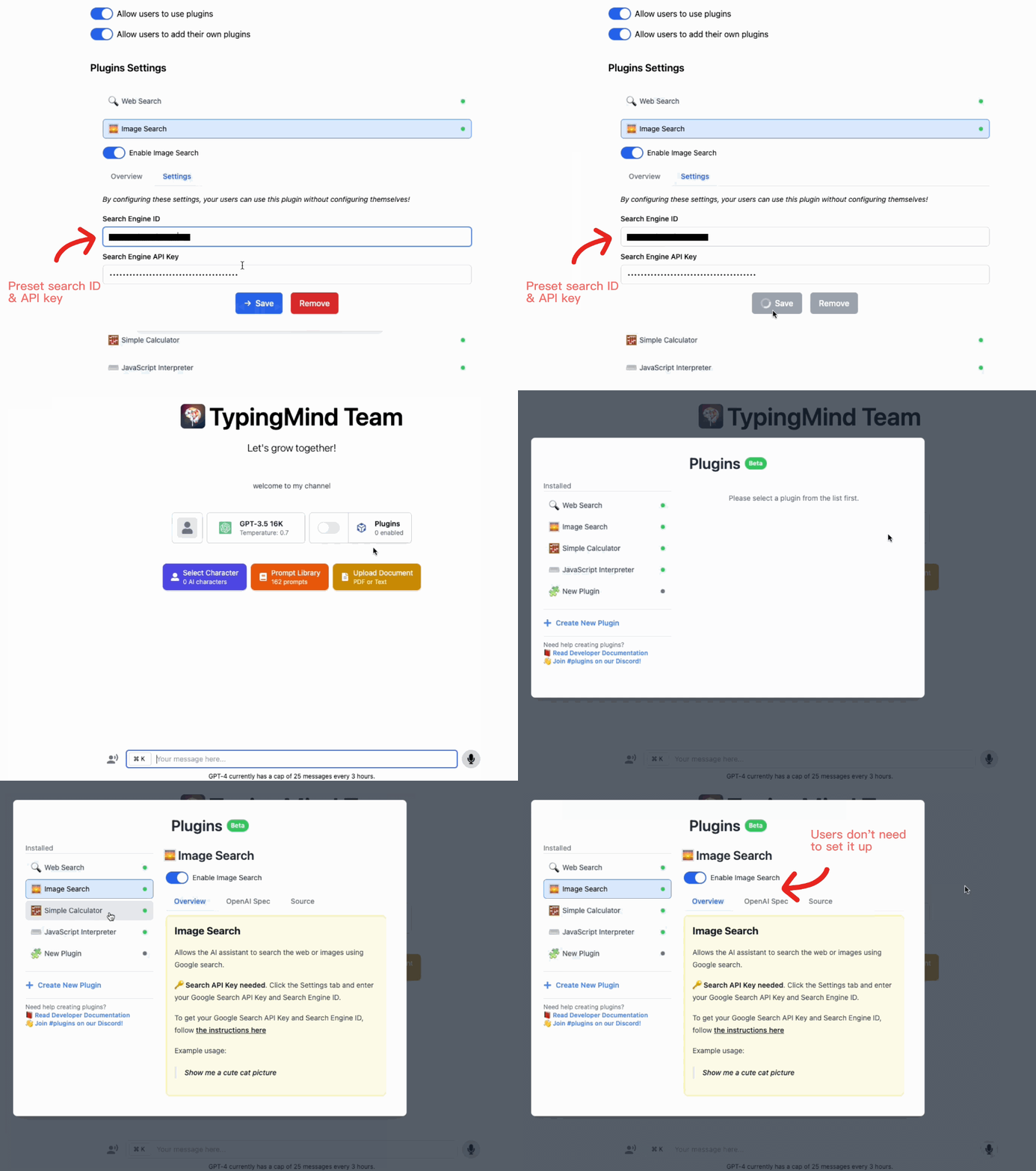
- Allow members to use selected plugins.
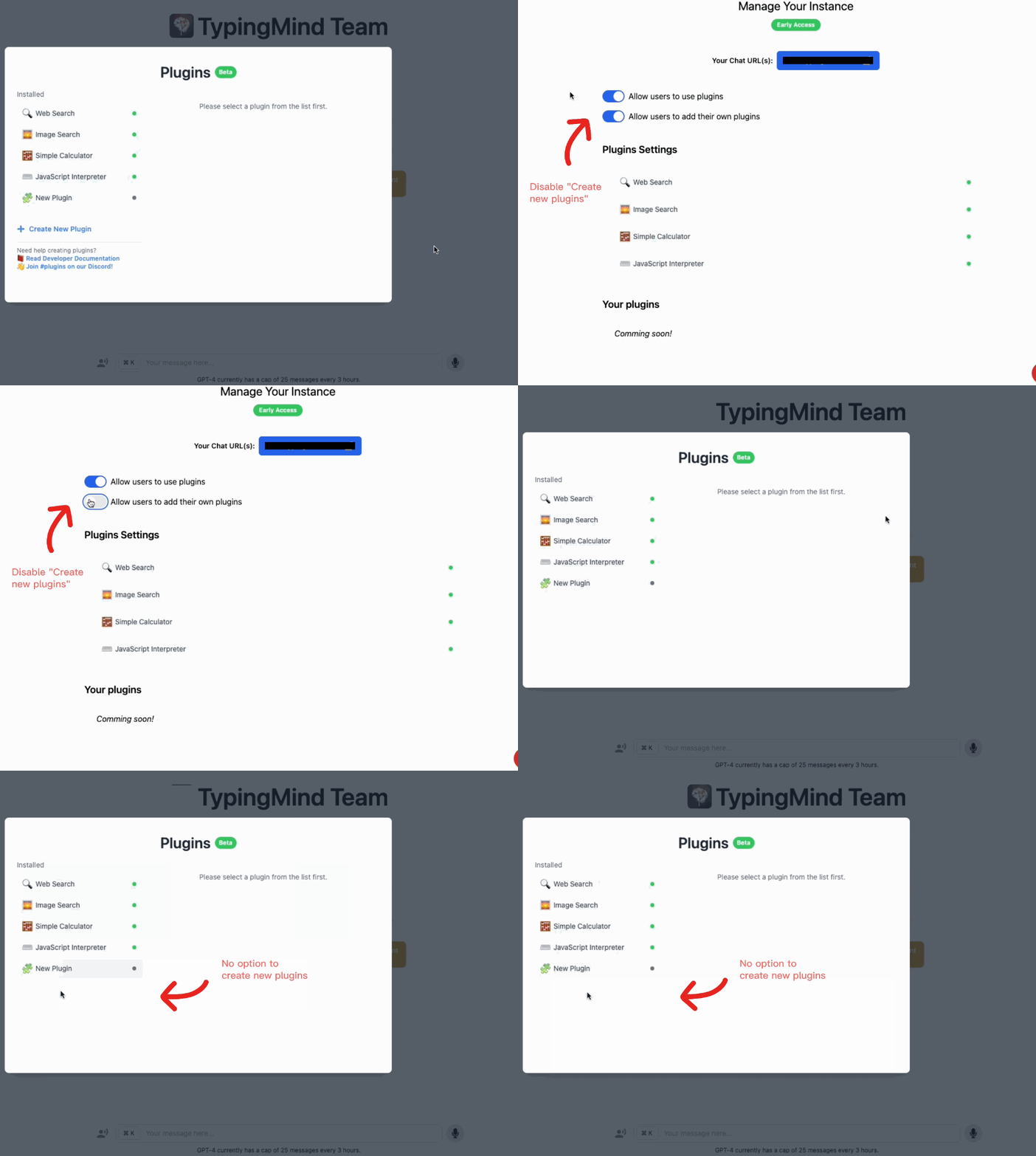
- Maintain a seamless workflow by enabling or disabling users to create their own plugins.
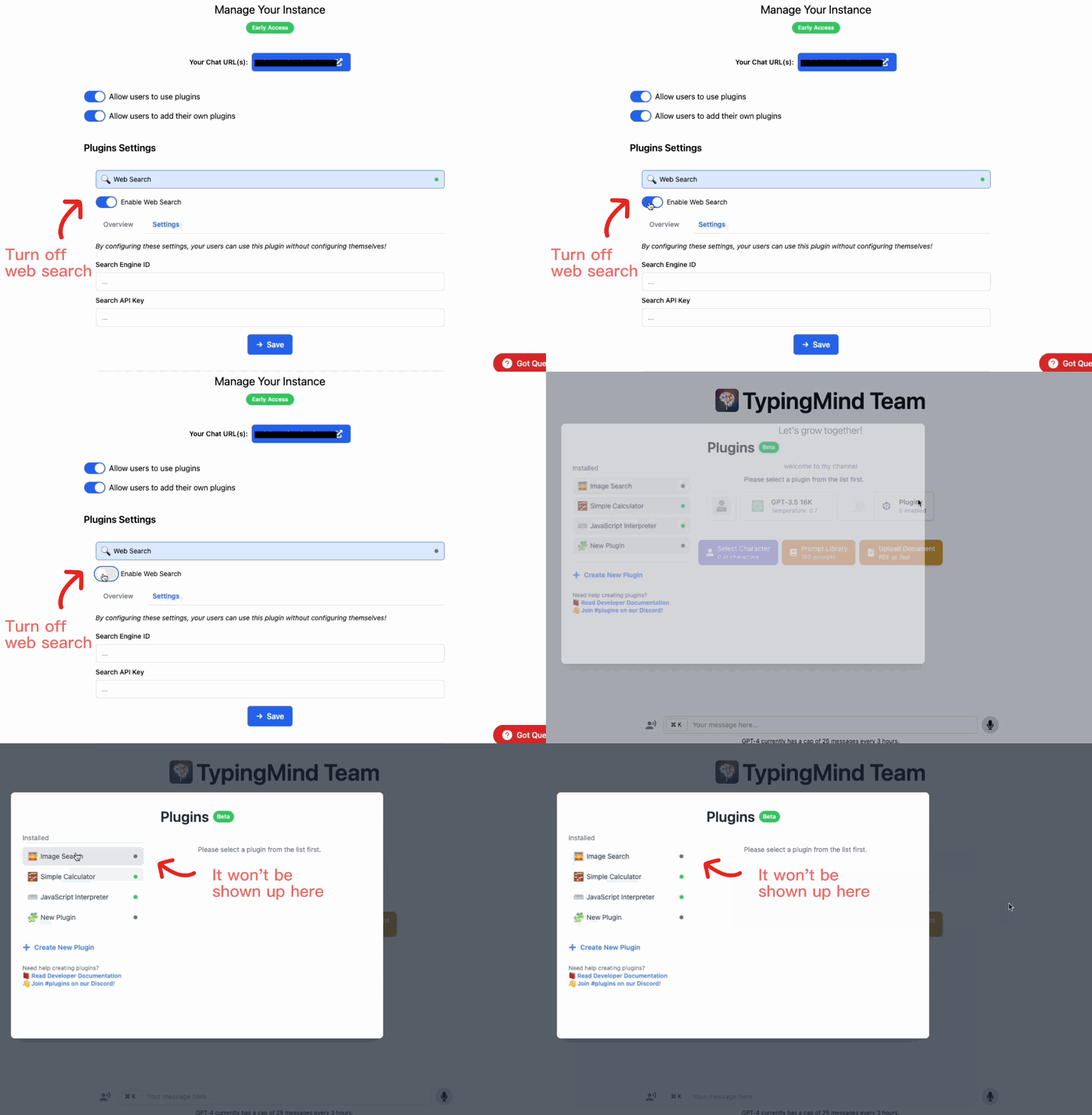
- Manage users’ access to plugins. Enable / disable plugins for your team members.

👀 Coming soon!
- You’ll be able to create custom plugins soon and effortlessly share them with your team.

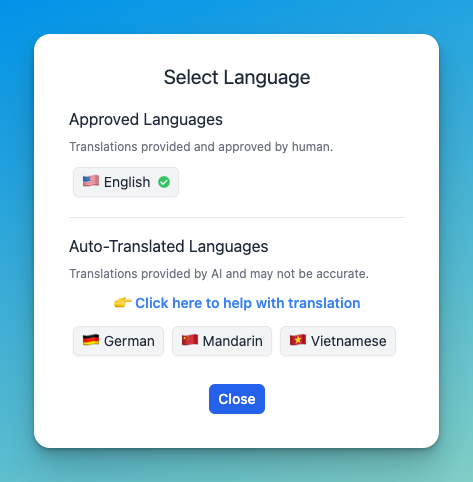
- Multilingual is coming real soon! This will allow you to customize your chat instance in your preferred language.
💡Useful tip you may have missed
You can turn off the community prompts or default AI characters on the Admin panel!
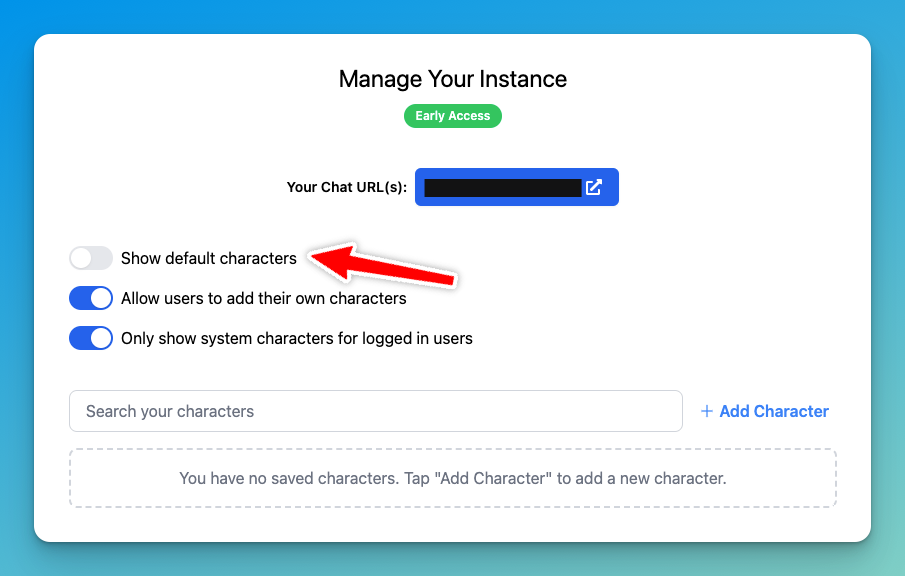
This enables you to provide a more personalized chatbot for your team or community.
That’s a wrap!
Hope you enjoy these updates.
We are on the quest to make TypingMind the most flexible way to create a chatbot. There’s even more way to personalize and control your chatbot to come!
Have a productive day ❤️
The TypingMind team.


