


As a ChatGPT Plus subscriber, are you feeling constrained by the 50-message limit every 3 hours for GPT-4 model?
This GPT-4 usage cap limits your input queries, thus affecting your daily workflow!
Let’s check out what exactly this GPT-4 usage cap is and what you can do to bypass this ChatGPT usage limit!
Please note that the 50 messages limit can be adjusted over time, learn more
Table of Contents
What is ChatGPT Plus?
ChatGPT Plus is a subscription plan from OpenAI that provides access to additional features on top of the free ChatGPT model.
- Access to GPT-4
- Use GPTs
- Additional tools like Dall-E, Web Browsing, Advanced Data Analysis (Code Interpreter), and more

“You’ve Reached the Current Usage Cap for GPT-4” – What does this mean?
The GPT-4 access provided through a ChatGPT Plus subscription has usage limits in place. Specifically, ChatGPT Plus subscribers are allowed up to 50 chat messages with the GPT-4 model every 3 hours.

Although this limit helps manage system resources, and ensure equitable access, and possibly as part of their pricing strategy, the GPT-4 usage cap could potentially disrupt your workflows if you rely on consistent back-and-forth messaging within a short timeframe.
How to increase the ChatGPT usage limit?
1. Use ChatGPT-3.5 instead
You can consider using GPT-3.5 as an alternative for certain tasks when you hit the limit of GPT-4. While GPT-4 offers advanced features and improved performance, GPT-3.5 can also provide accurate responses for simple tasks without complicated context.

So, if you’re looking for a quick solution to keep the conversation going, GPT-3.5 might just be your best alternative.
2. Switching to a ChatGPT Alternative
There are several AI models and services in the market that offer comparable functionalities to ChatGPT such as Anthropic Claude, Google Gemini Pro, Google Bard, Perplexity, Microsoft Copilot, etc.

Each model works best for different use cases:
- Claude is best for generating natural, realistic copy and conversations
- Gemini is good at problem-solving and multimodal capabilities
- Perplexity is best for internet deep dives
3. Use GPT-4 API
OpenAI also offers the GPT-4 model through their API at platform.openai.com

Interesting part? They do not implement a usage cap like ChatGPT Plus if you are using the model through OpenAI API.
However, not everyone is familiar with how to interact with APIs, which necessitates at least a basic level of coding knowledge to establish an environment to chat with the model.
For those less versed in coding, we recommend using the model through ChatGPT wrappers. These wrappers will provide you with a user-friendly interface designed to facilitate interaction with the AI model without needing to understand coding.

There are some ChatGPT Alternatives you can consider:
- TypingMind
- BetterGPT
- ChatBox
- LinkyGPT
- and more
Among these, if you’re seeking not only simplicity but customization, TypingMind stands out as the best ChatGPT UI currently on the market. Let’s dive into details on how TypingMind can help!
How does TypingMind push the limit of GPT-4?
TypingMind.com allows you to access the GPT-4 model through OpenAI’s API – in which you can send as many queries as you need and only pay for what you use.
Typically, interacting with the API requires a technical background to manage the setup.
However, TypingMind simplifies this process. You don’t need to be a developer to use the GPT-4 API. Simply obtain your API key, input it into the app, and you’re all set.
What you can expect from TypingMind:
- Interact with GPT-4 and GPT-4 Turbo without any limits.
- Only pay for your usage (pay-as-you-go)
- Unlimited options to customize your AI responses.
- Manage your chat history effortlessly.
- An intuitive, user-friendly interface.
By integrating with GPT-4 API, TypingMind will be definitely a game-changer in boosting your productivity.
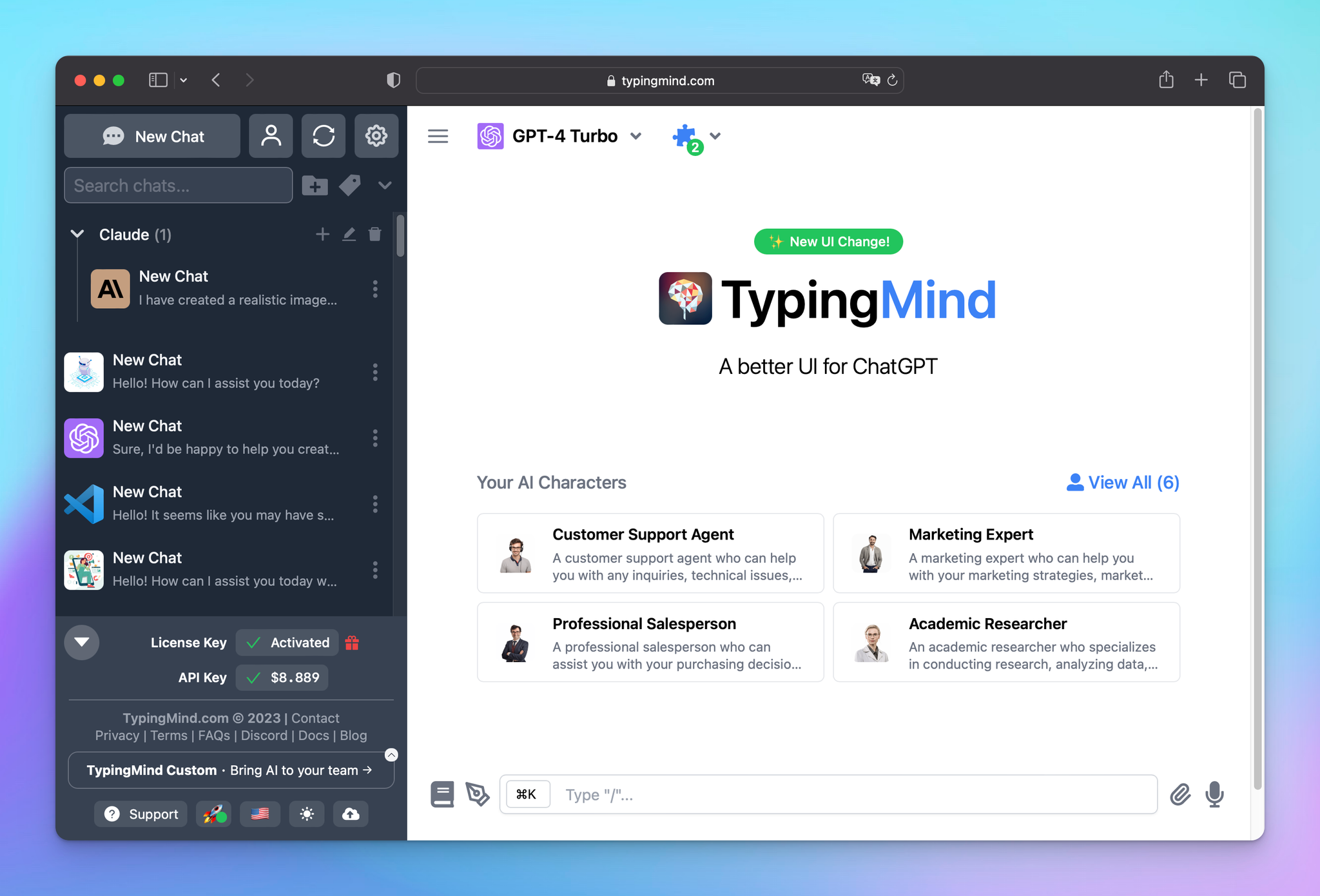
GPT-4 API + TypingMind = …. (🤯)
Let’s explore in detail how the GPT-4 API on TypingMind can take your workflow to the next level!
1. Unlimited GPT-4 Usage (no usage cap)
The 50 messages per 3-hour limit is gone. Instead, you have the full capability of GPT-4 available anytime your creativity demands it.
Through TypingMind, you can send unlimited messages to GPT-4 models.
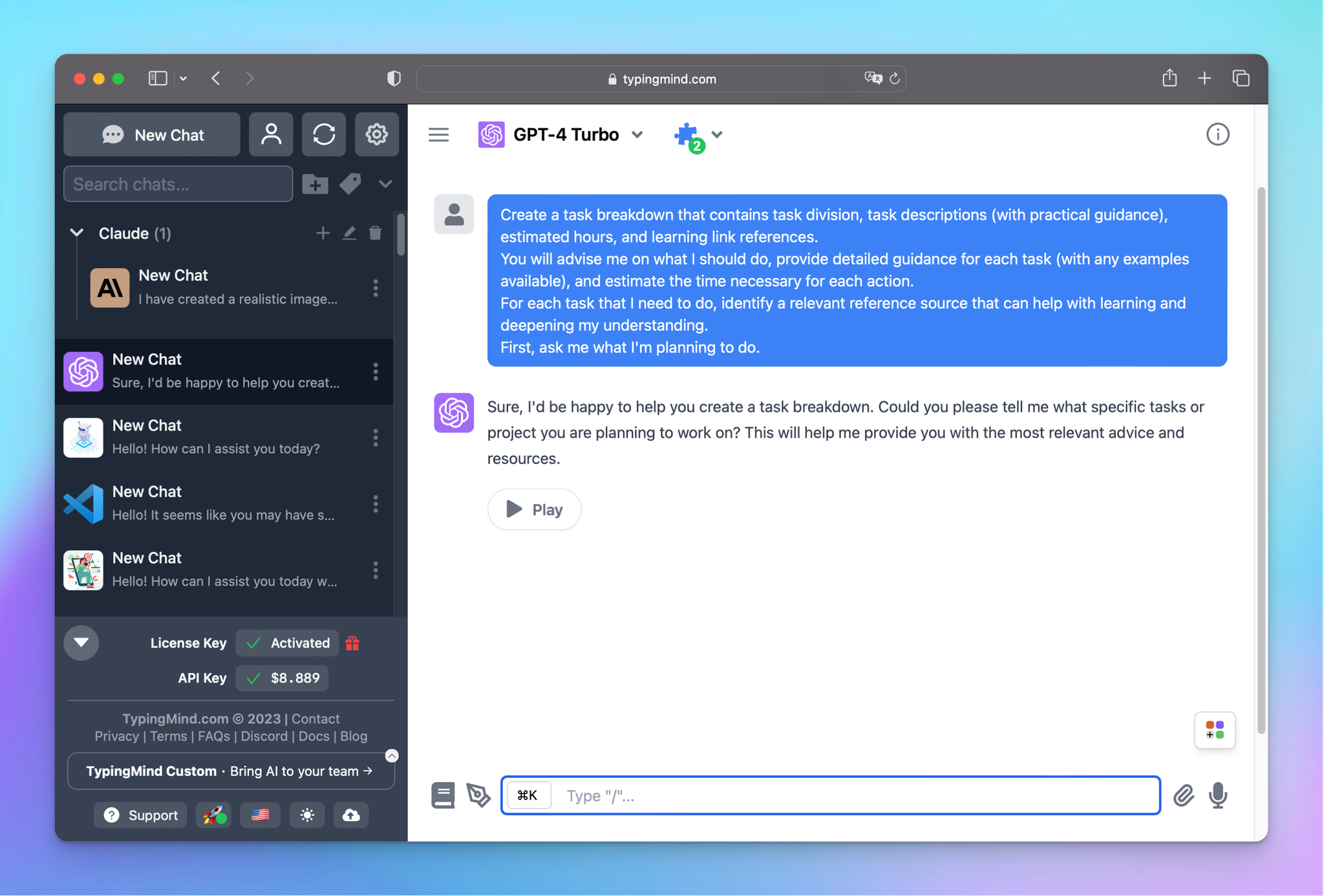
And from now on, you don’t need to worry about message caps interrupting your workflow. Feel free to:
- Brainstorm 50 different headline variations for a blog post
- Collaborate with GPT-4 for hours on end to write long-form content
- Have an ongoing dialogue over days to develop an app.
2. High-quality responses with more customizable options
The GPT-4 outputs can achieve higher quality on TypingMind since the app provides you with a “toolkit” for refinement, which can help in generating more precise and relevant results, including:
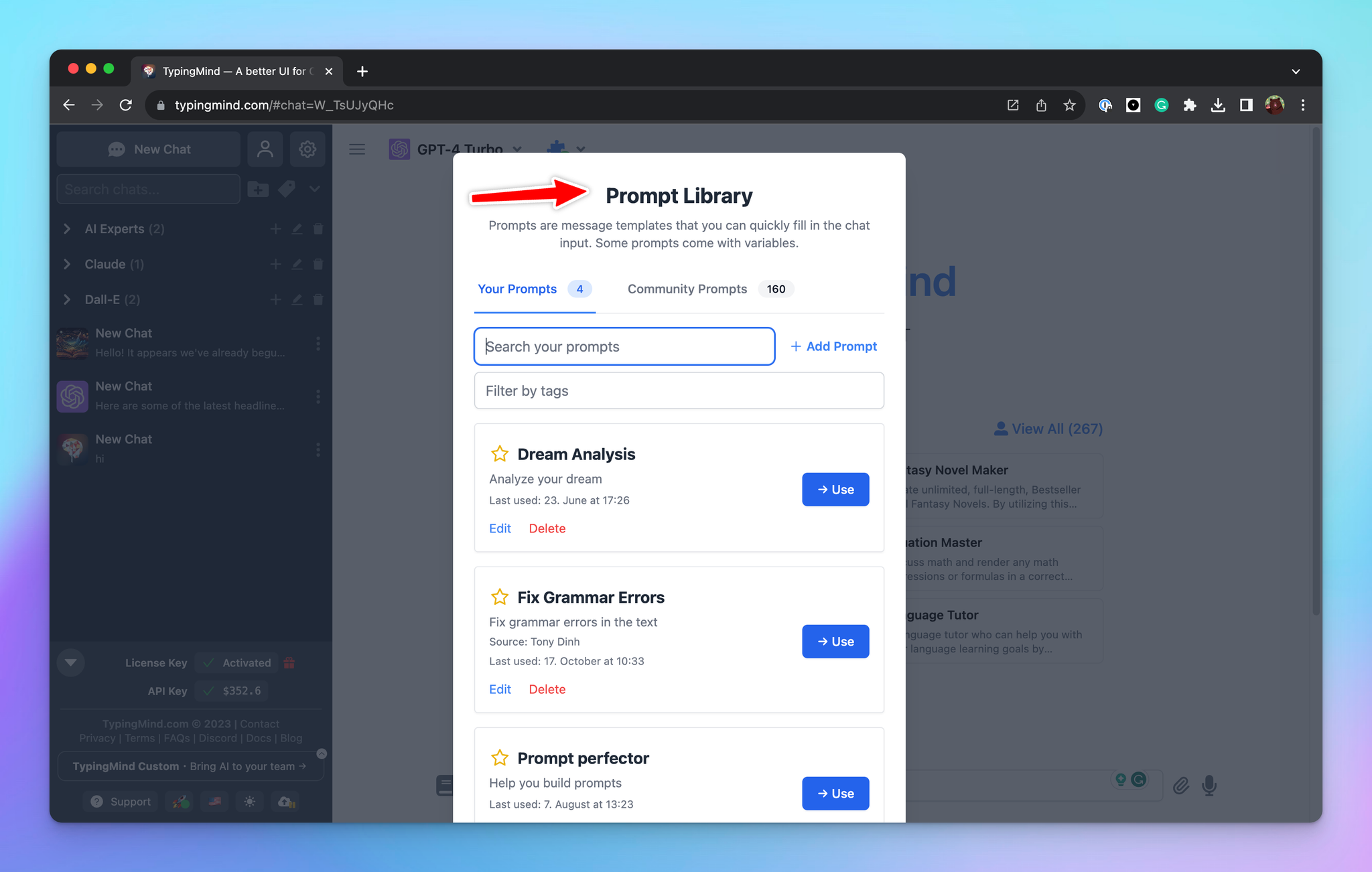
- Prompt library: TypingMind’s prompt library allows you to save your most effective prompts, which have been honed over time to generate high-quality responses.
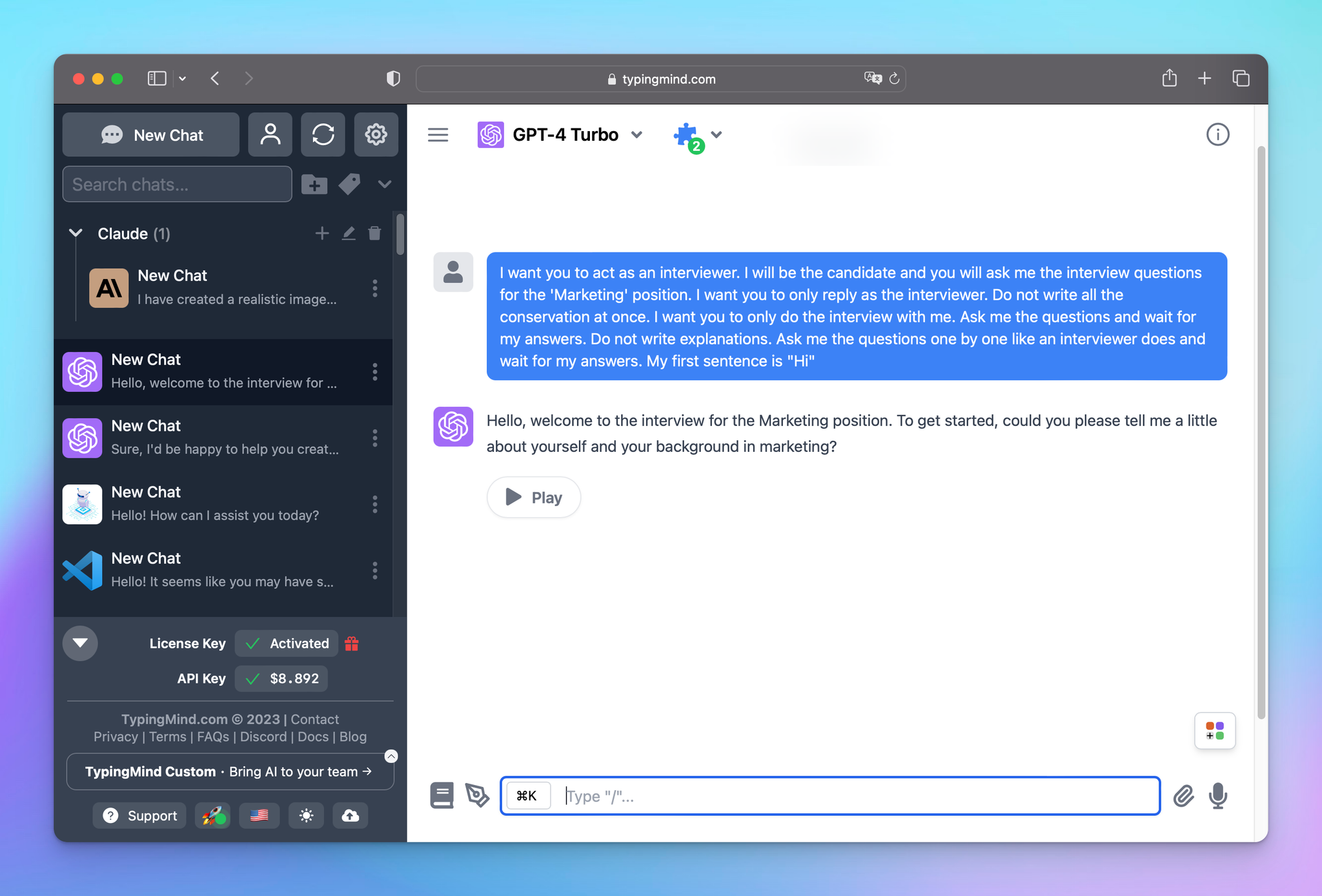
- AI Agent Collection: create specialized GPT-4 assistants focused on particular topics or projects so you can build your own personalized expert advisor in your field of interest.
See what you can do with TypingMind AI Agent here.
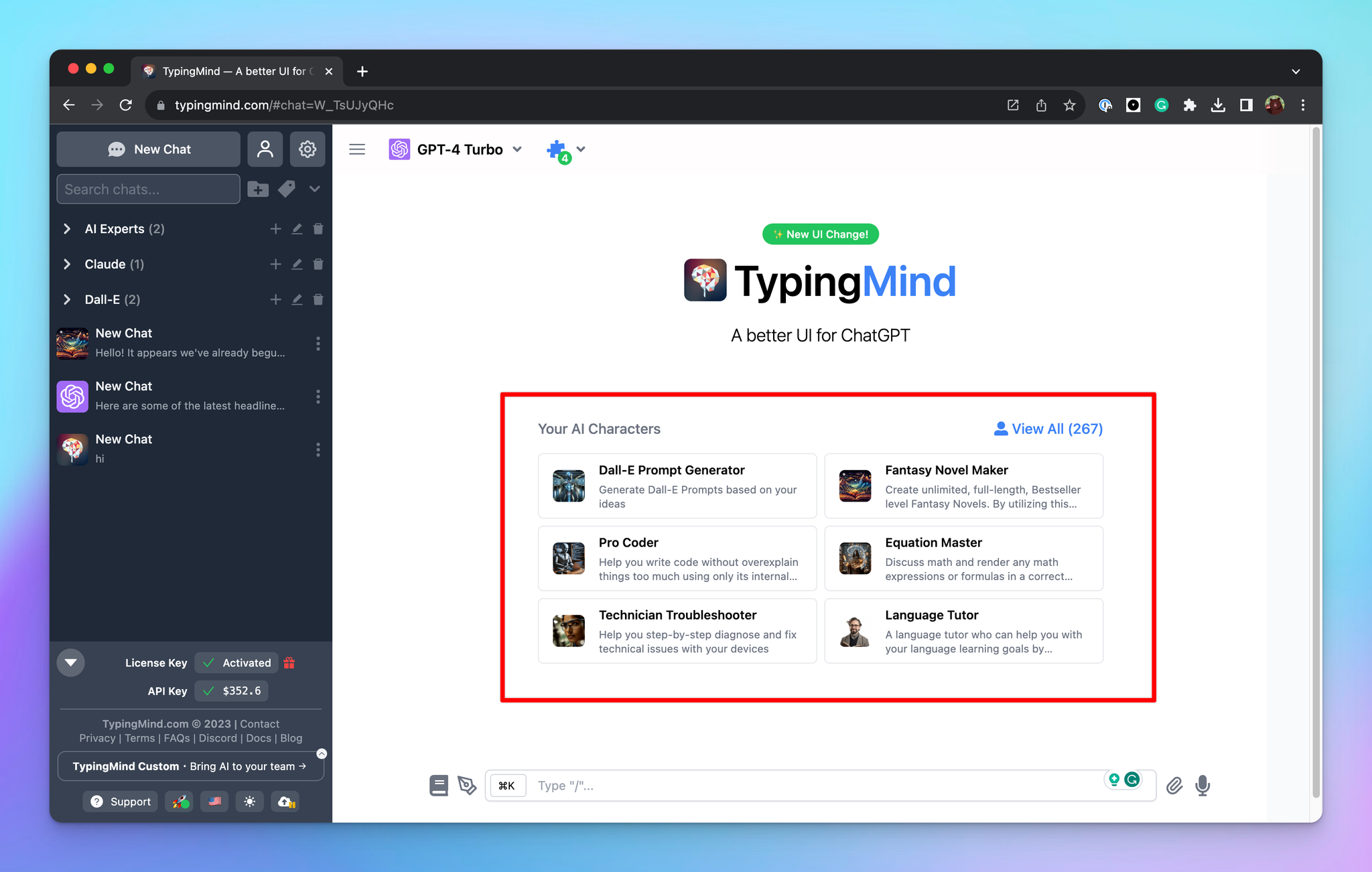

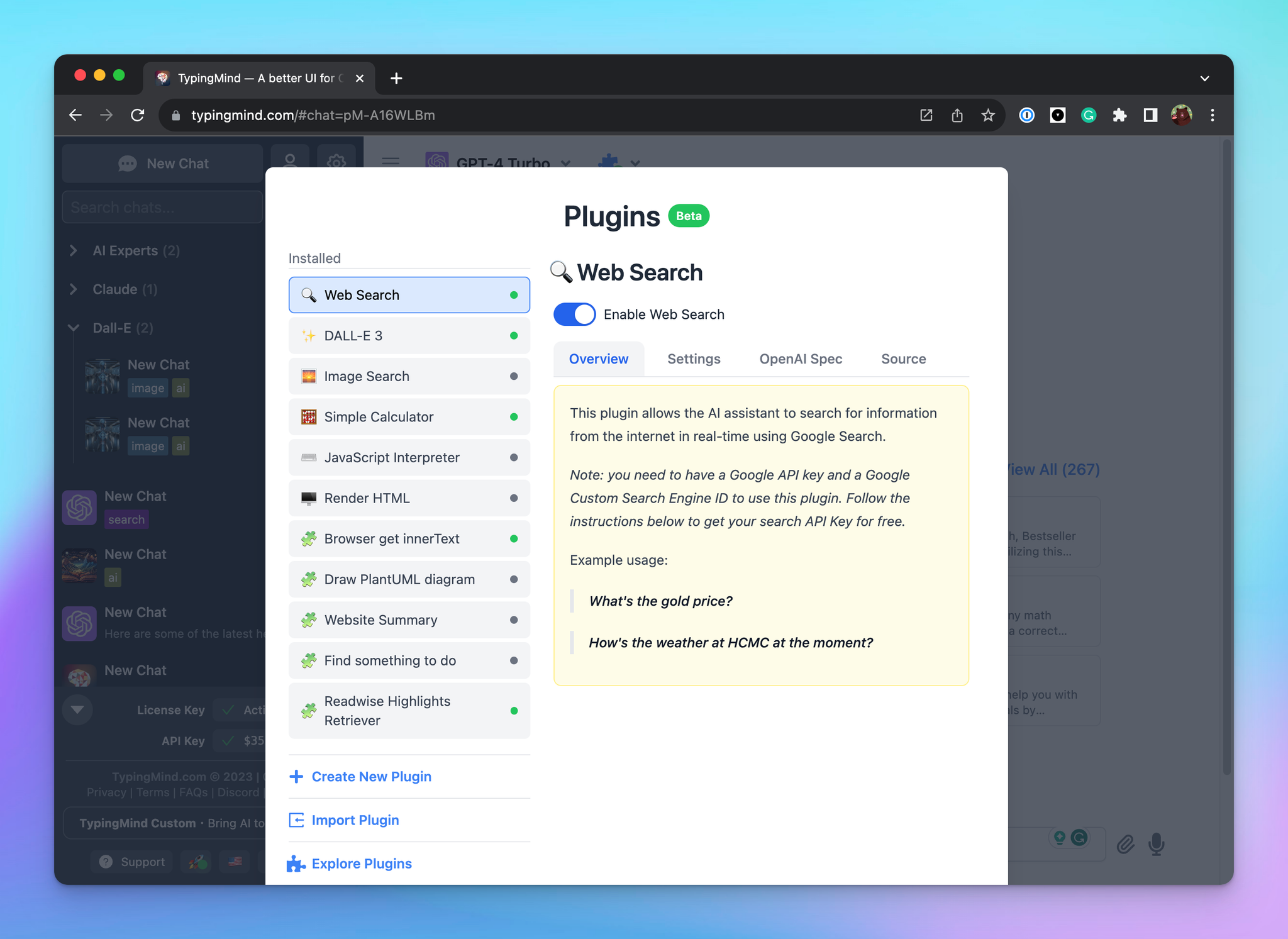
- Plugins: extend the capabilities of GPT-4 with plugins such as Web Search, Web Browsing, Image Search, Image Generator with Dall-E 3 Stable Diffusion, etc. to ensure your answers are always up-to-date and relevant.
Wonder which plugins to use in which cases? Don’t worry!
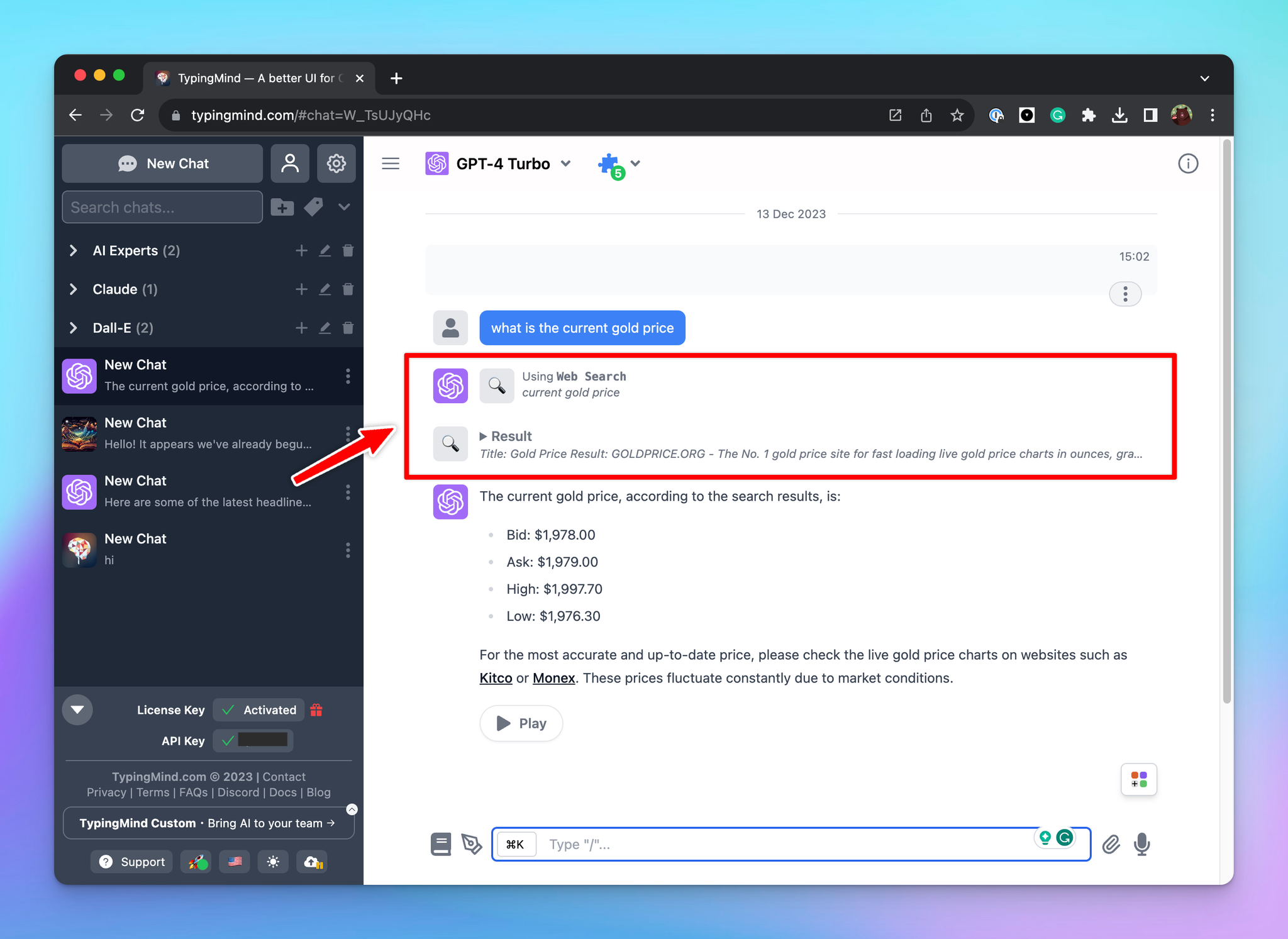
TypingMind will automatically activate relevant plugins in response to your input to ensure you receive the most up-to-date, useful answers.
For example, asking about current gold prices triggers a live web lookup inside GPT-4’s response automatically.
You can choose to use the default plugins or even create your own plugins:
Cost-effectiveness with Pay-Per-Use pricing model
Let’s compare the prices of GPT-4 API on TypingMind and ChatGPT Plus.
- ChatGPT Plus has a fixed cost of $20 per month
- Use GPT-4 API on TypingMind is a pay-per-usage model and costs ~$0.02 for every 1000 tokens, which is about 750 words.
So with ChatGPT Plus’s $20 monthly rate, you could generate up to 750,000 words via TypingMind – equal to the number of words contained in the Bible!
Rather than being limited by the flat rate of $20 per month for the GPT-4 model, the GPT-4 API on TypingMind allows you to manage your expenses fully:
- Use it sparingly? You’ll pay less.
- Use it extensively? You’ll only pay for what you use with unlimited access.
You can monitor your cost and token estimation as well to stay informed about the cost of each prompt, thus helping you manage your API cost usage efficiently.
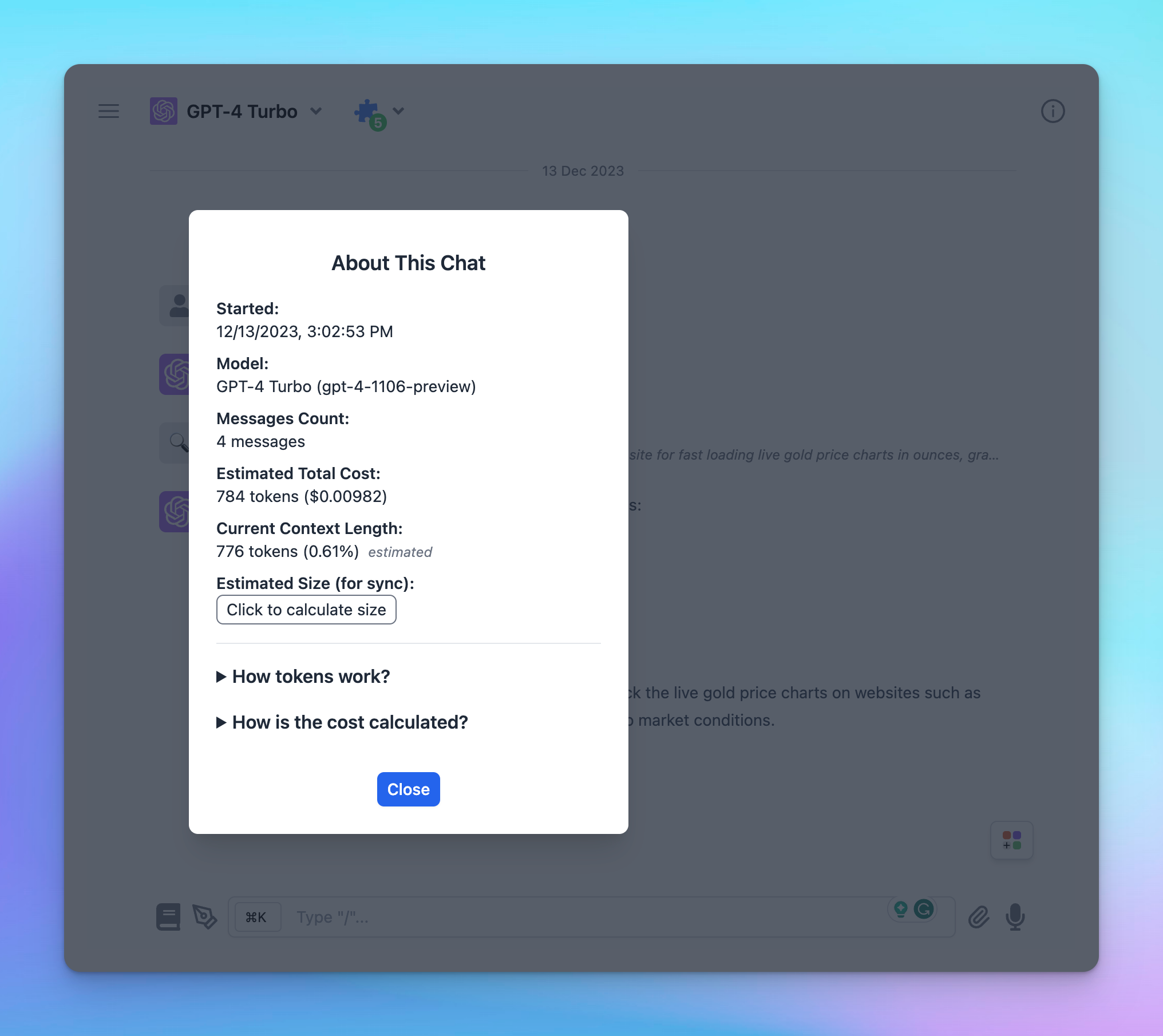

For lower-budget projects, TypingMind is a great choice to grant you very cost-effective access to GPT-4 with the flexibility to scale up seamlessly as requirements grow!
Data security
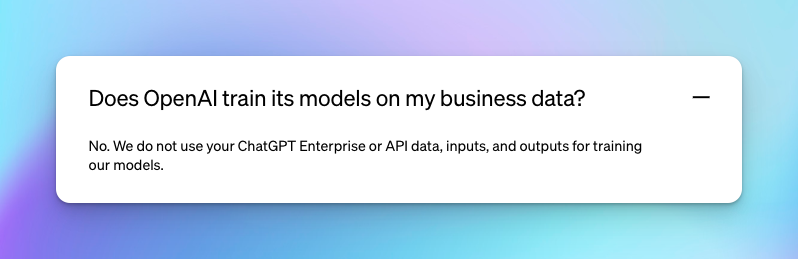
As stated by OpenAI, they don’t use API data, inputs, and outputs for training their models, which assures that your conversations and content via TypingMind’s GPT-4 API access remains private.
You can read here for more details.
Extra benefits you can get from TypingMind!
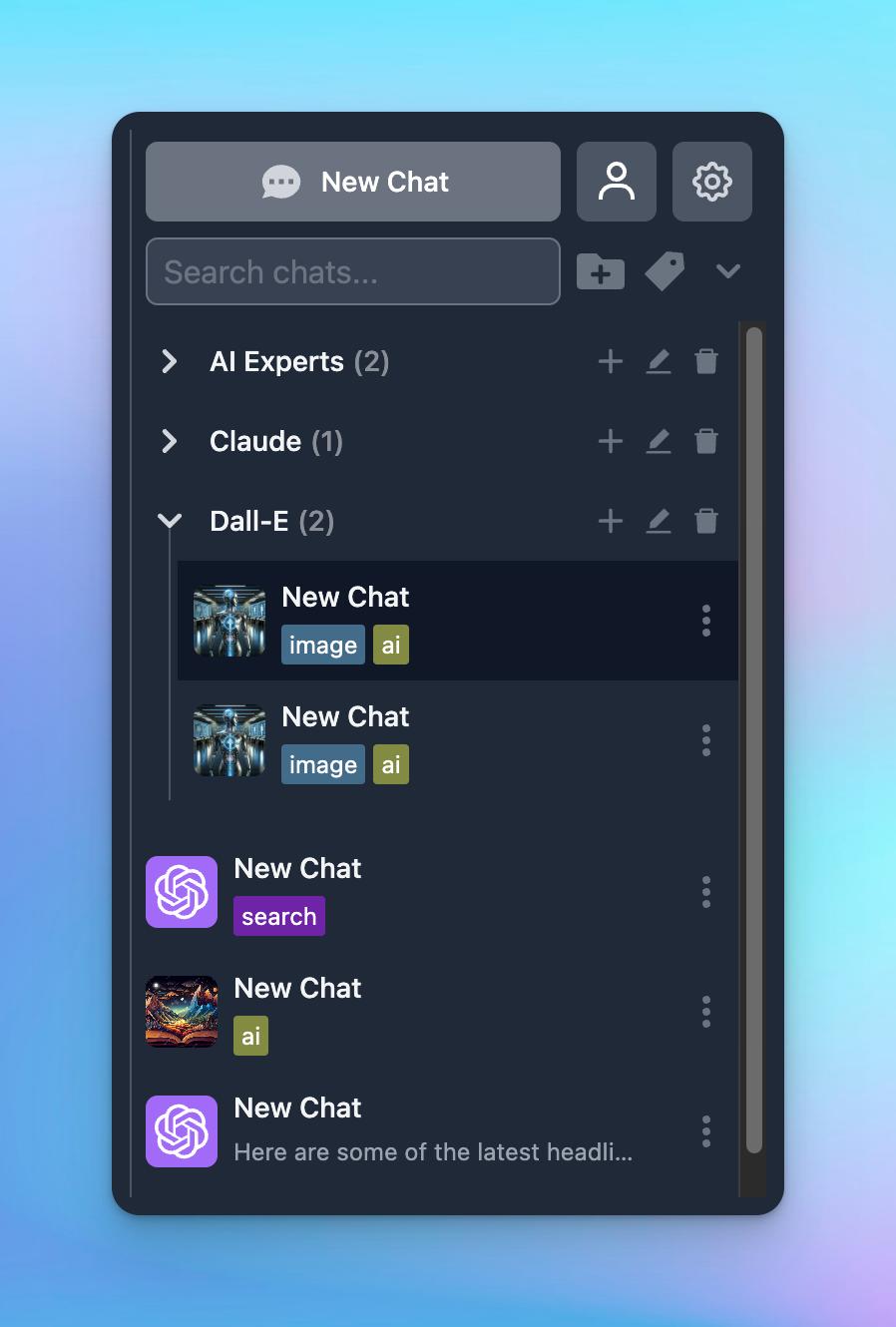
Manage your chats with ease
An organized workspace is proven to enhance productivity and efficiency by enabling you to locate chats quickly and focus on tasks without the distraction of clutter.
With TypingMind, you can:
- Manage chats in a folder
- Search chats
- Add tags to your chats so you can easily filter them
- Bulk select and delete chats
- Pin chats to the top of your list
- Archive chats
Everything you need to handle multiple conversations effortlessly!
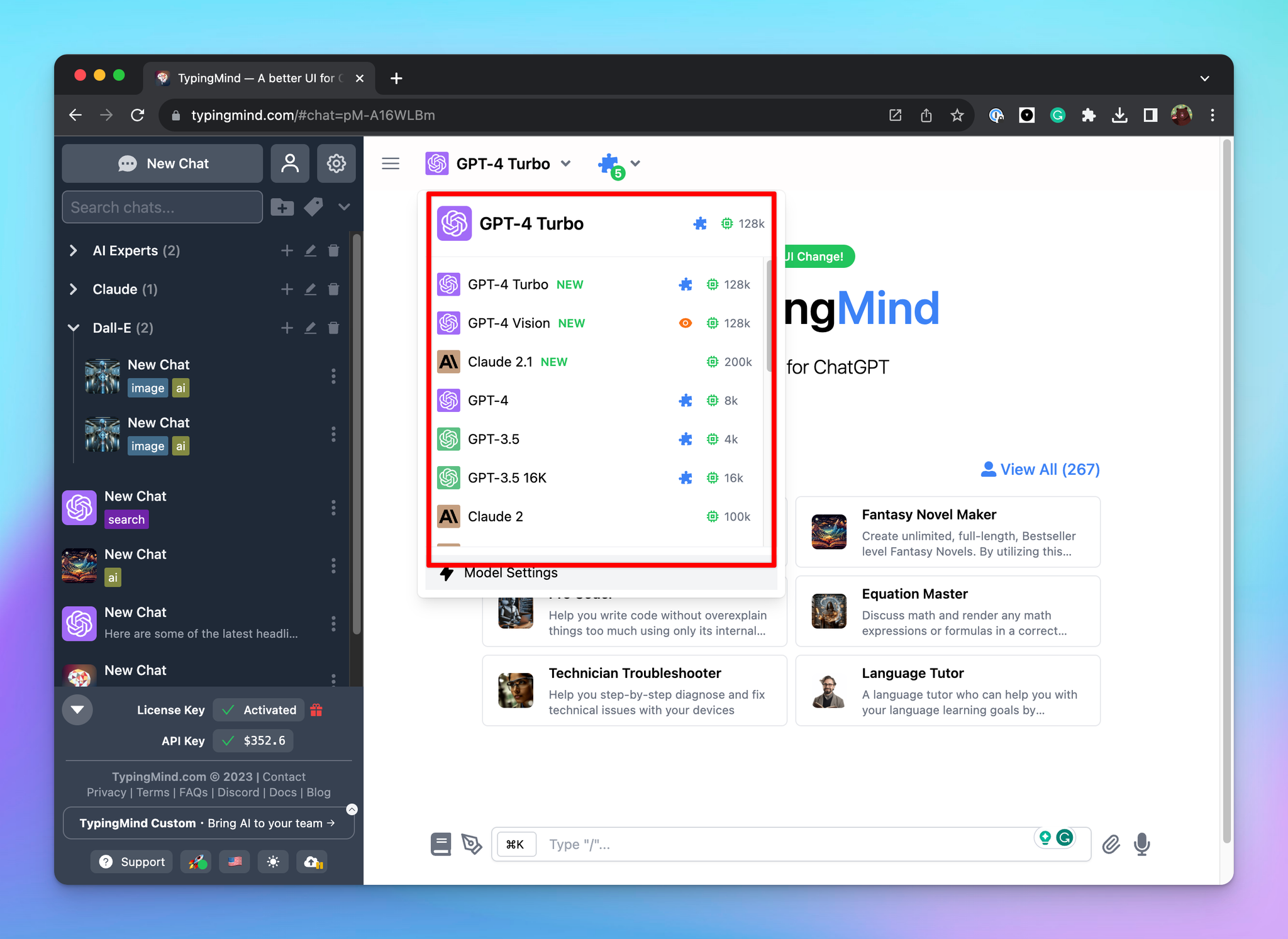
Chat with multiple AI Models, not just GPT-4
On TypingMind.com, you have the ability to interact with multiple AI models including Azure OpenAI, Anthropic Claude, or OpenRouter models (that allows you to use GPT-4-32K, Perplexity AI models, Claude-2, etc.)
This allows you to have the flexibility to compare the AI outputs among different chat models to enable you to determine the optimal AI outputs that suit your needs
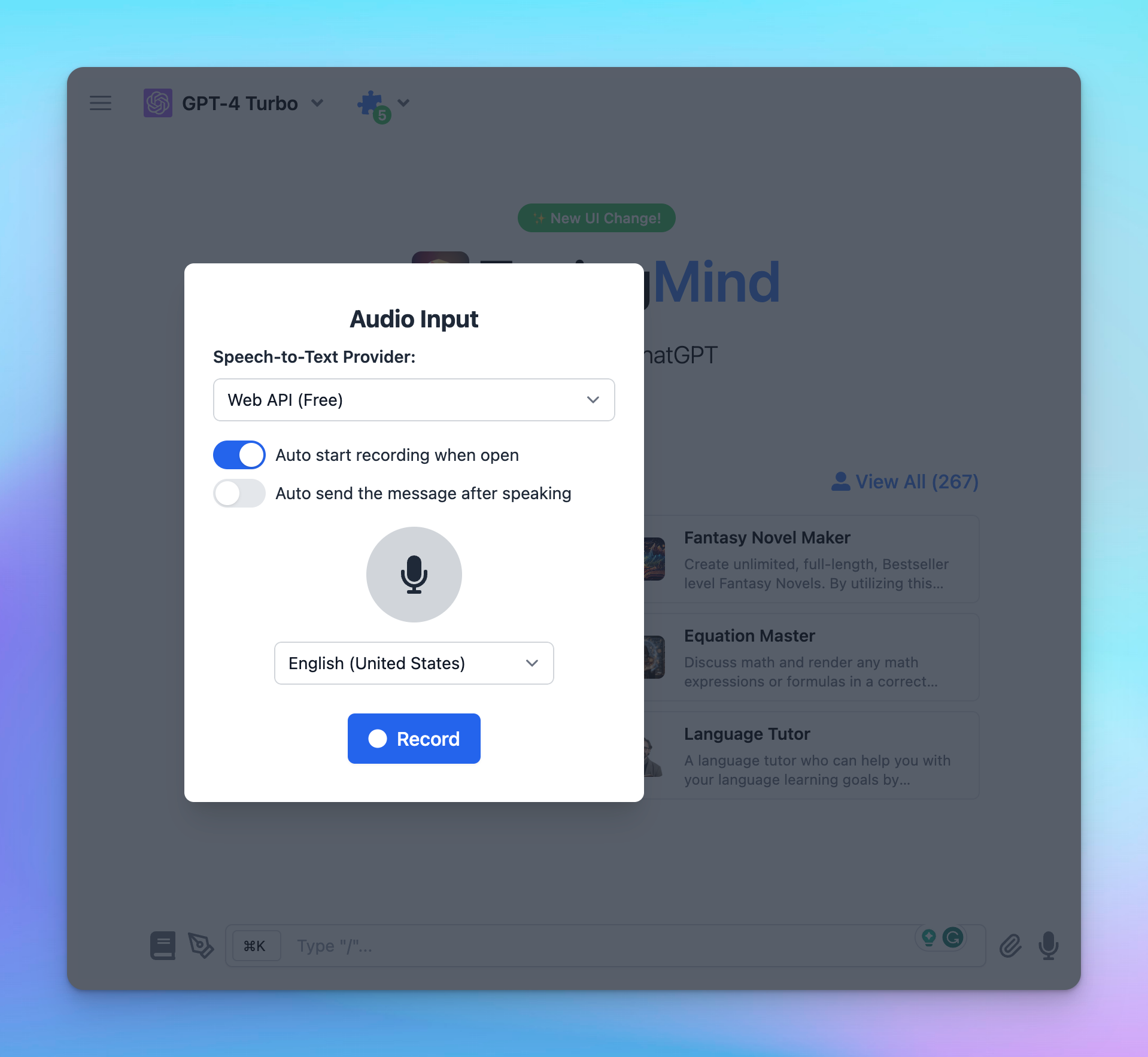
Use voice input and text-to-speech
Talking to the AI model and getting its response in speech will speed up your interaction with the AI models, thus increasing your productivity.
There are even more enhanced features available on TypingMind, you can check here for a full feature list
Don’t take our word for this!
Users all over the world have proven their success with TypingMind:
- Pay half and get unlimited access to GPT-4 and GPT-4 Turbo
- TypingMind is applicable for most use cases.
- Better manage chats at an affordable price.
- A more stable solution that always helps you generate quality outputs.
Conclusion
In conclusion, if you want to break the limit of GPT-4 usage cap, and look for a more flexible, unlimited, and cost-effective way to engage with GPT-4, using ChatGPT wrappers will be a great choice!
We highly recommend you use TypingMind as an alternative to your ChatGPT Subcription. It’s more than just a platform; it’s a gateway to unlocking creative potential and driving innovation, no matter which industry you are in.


