


As you may know, ChatGPT is a powerful AI tool. While ChatGPT is quite easy to start, utilizing it for optimal results can be tough. In addition to prompts, we have to mention an important aspect: ChatGPT temperature parameter.
ChatGPT temperature parameter can directly control the accuracy of the AI responses. Thus, how does it work? How can we master it for our work? We will reveal the answer right here. Let’s read until the end!
ChatGPT and the concept of “probabilities”
Before we learn how to optimize the AI output with temperature, we must know some main points about its generating process.
GPT-3 was trained on a vast dataset of more than 45TB of text, about 500 billion “tokens”. This information was utilized to educate the AI to recognize trends and respond accordingly.
This dataset was used to train a deep-learning neural network designed like the human brain. It allows ChatGPT to understand relationships in the text data and anticipate what text should come next.
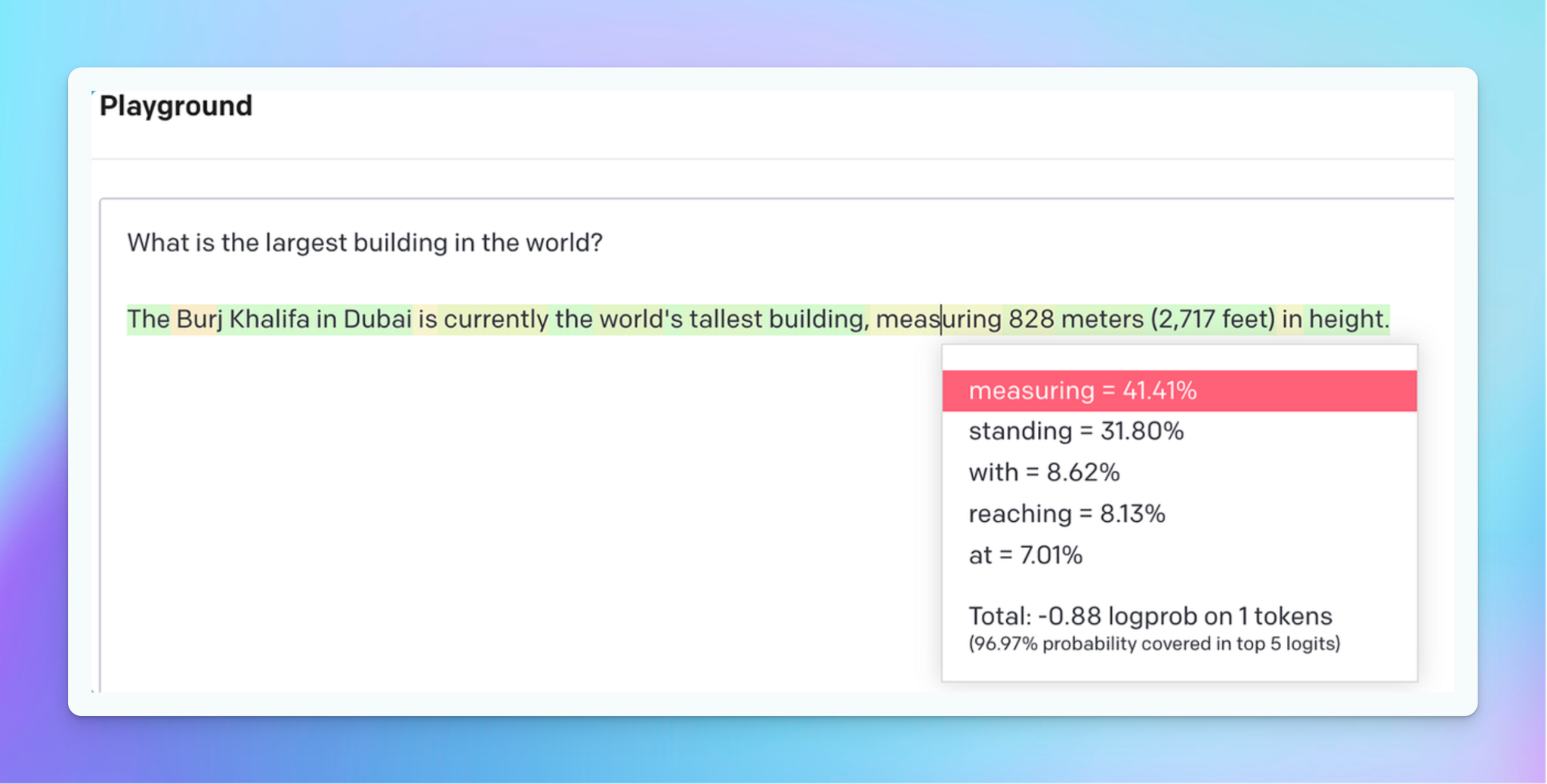
When you provide the GPT a prompt, it will create text output depending on the probability of successive phrases based on its training data.
The “show probabilities” feature in the OpenAI playground allows users to examine the odds of each word/answer in the output. This can assist you in understanding why the AI chooses a specific term or phrase. It shows an overall look at how the temperature parameter is expected to influence the output.
What Is ChatGPT Temperature Parameter?
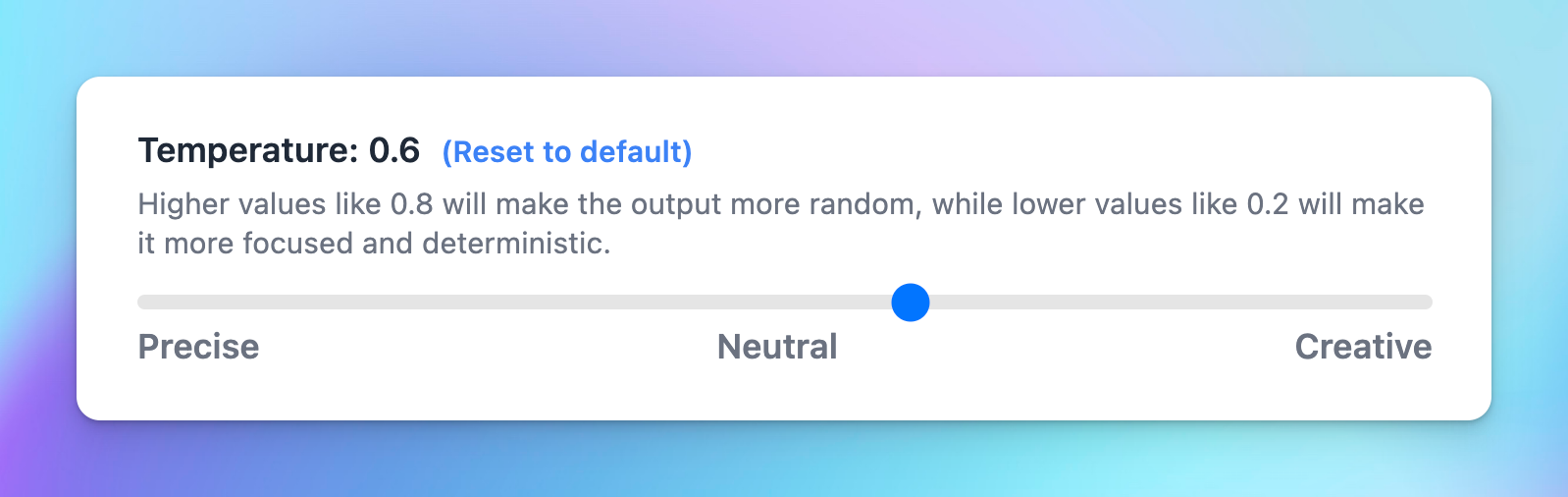
ChatGPT Temperature is a parameter that influences the creativity and randomness of the output. It is used when decoding the model’s output probability distribution to sample the next token.
GPT Temperature parameter ranges from 0 to 1.
- A setting of 0 will help you generate the most predictable answer, providing a higher accuracy rate.
- A setting of 1 can give users the most random answer, offering a creative but lower precision rate.
What Is The Ideal ChatGPT Temperature You Need?
As mentioned, you can adjust the temperature parameter ranges from 0 to 1. Let’s take an overall look at how it affects the AI output:
From 0 to 0.3 (low): When you adjust the temperature in this range, your output will be more concentrated, coherent, and conservative.

From 0.3 to 0.7 (medium): In this range, the AI responses will balance coherence and creativity.

From 0.7 to 1 (high): the output will focus on creativity, so it may not be coherent.

As you can see in these examples, although we use the same prompt, different temp can bring us different responses. When we adjust the range to 1, the topics have expanded to other aspects of the main idea. Meanwhile, when we use 0, the responses give us some close-related topics:
From 0 to 0.3: Topics are explored in the closest aspects to the problem of pet gastrointestinal disorder, including causes, symptoms, treatment, and some tips.From 0.3 to 0.7: In addition to the general exploitation of the above topics, this setting also suggests a broader range of nutrition topics for this issue, bringing more creativity and freshness than the setting above.From 0.7 to 1: In this setting, AI continues to expand and get more creative on topics. As you can see here, the GPT has suggested more articles related to pets’ mental health in this problem.
Using a suitable temperature can be a quick way to generate a desired AI response. However, you need to test many times to decide on an ideal setting for your needs.
In case you have no idea about which rate to use, you can adjust the parameter to 0.7. This neutral level will help you balance both the creativity and coherence of the text.
Suggested ChatGPT Temperature Values For Specific Use Cases
Here are some recommended temperature settings for several use cases to show how these parameters might be used in different scenarios. Yet, you might keep in mind that the ideal temperature should depend on your specific demands and requires testing for the final setting:
| Use Case | Temperature | Description |
| Code Refactoring | 0.2 | This low temp helps to produce code that follows predefined patterns and conventions. The output is more deterministic and targeted. This is useful for producing syntactically accurate code. |
| Data Analysis Scripting/Email Parser | 0.2 | Data analysis scripts require high accuracy and efficiency. Thus, adjusting the parameter to 0.2 can make the output more deterministic and targeted. |
| Chatbot response/Summarize text | 0.5 | Both these two cases require diversity and coherence. To balance these factors, using 0.5 can help the AI output be more engaging and natural. |
| Creative Writing | 0.8 | Text for storytelling should be imaginative and diverse. Choosing 0.8 will generate an output that is more experimental and less pattern-bound. |
| Code Generation | 0.8 | This will enable ChatGPT to generate more surprising and innovative code, which will be very valuable for constructing complex programs. |
Easily adjust ChatGPT Temperature on TypingMind
TypingMind allows you to quickly change not only Temperature parameter but also other settings such as top_p and apply them to your conversation seamlessly.
TypingMind’s intuitive controls enable you to experiment with different configurations, assess the quality and relevance of the generated responses, and fine-tune the settings until you achieve the desired balance for your specific use case.

Final Thought
In short, the ChatGPT “temperature” parameter is a setting that influences the randomness and diversity of the generated text. The choice of temperature depends on the desired output style and task.
A higher temperature encourages exploration and creativity, while a lower temperature promotes predictability and coherence.
You should note that while some models allow users to adjust this parameter directly, the availability of the parameter can vary between different models and implementations. Thus, always test before applying it to your tasks.


